TechBriefly
  • Tech
  • Business
  • Crypto
  • Science
  • Geek
  • How to
  • About
    • About TechBriefly
    • Terms and Conditions
    • Privacy Policy
    • Contact Us
    • Languages
      • 中文 (Chinese)
      • Dansk
      • Deutsch
      • Español
      • English
      • Français
      • Nederlands
      • Italiano
      • 日本语 (Japanese)
      • 한국인 (Korean)
      • Norsk
      • Polski
      • Português
      • Pусский (Russian)
      • Suomalainen
      • Svenska
No Result
View All Result
TechBriefly
Home How to
How to fix Snapchat Year in Review 2022 not working?

How to fix Snapchat Year in Review 2022 not working?

Let us help you with seeing the recap of your last year on Snapchat.

Önder ErdinebyÖnder Erdine
22 December 2022
in How to
Reading Time: 2 mins read
Share on FacebookShare on Twitter

When we think of the end of a year, Wrapped content of apps comes to mind and Snapchat is not an exception. Sadly, Snapchat Year in Review 2022 not working has been plaguing many users, which is why we’ll try to offer a solution.

It’s the end of the year, and it appears that practically every platform in the globe is attempting to capitalize on the ‘Wrapped’ or ‘Recap’ craze pioneered by Spotify. Spotify Wrapped has almost become a yearly event that music fans look forward to. However, other social media sites do not want to be left out of the fun. We’ve recently seen and reported the launch of multiple Spotify Wrapped-like offers from sites like Twitter, Reddit, and even Apple Music.

When we think of the end of a year, Wrapped content of apps comes to mind and Snapchat is not an exception. Sadly, Snapchat Year in Review 2022 not working...
Snap was not left out of the Wrapped trend but some users are experiencing Snapchat Year in Review 2022 not working

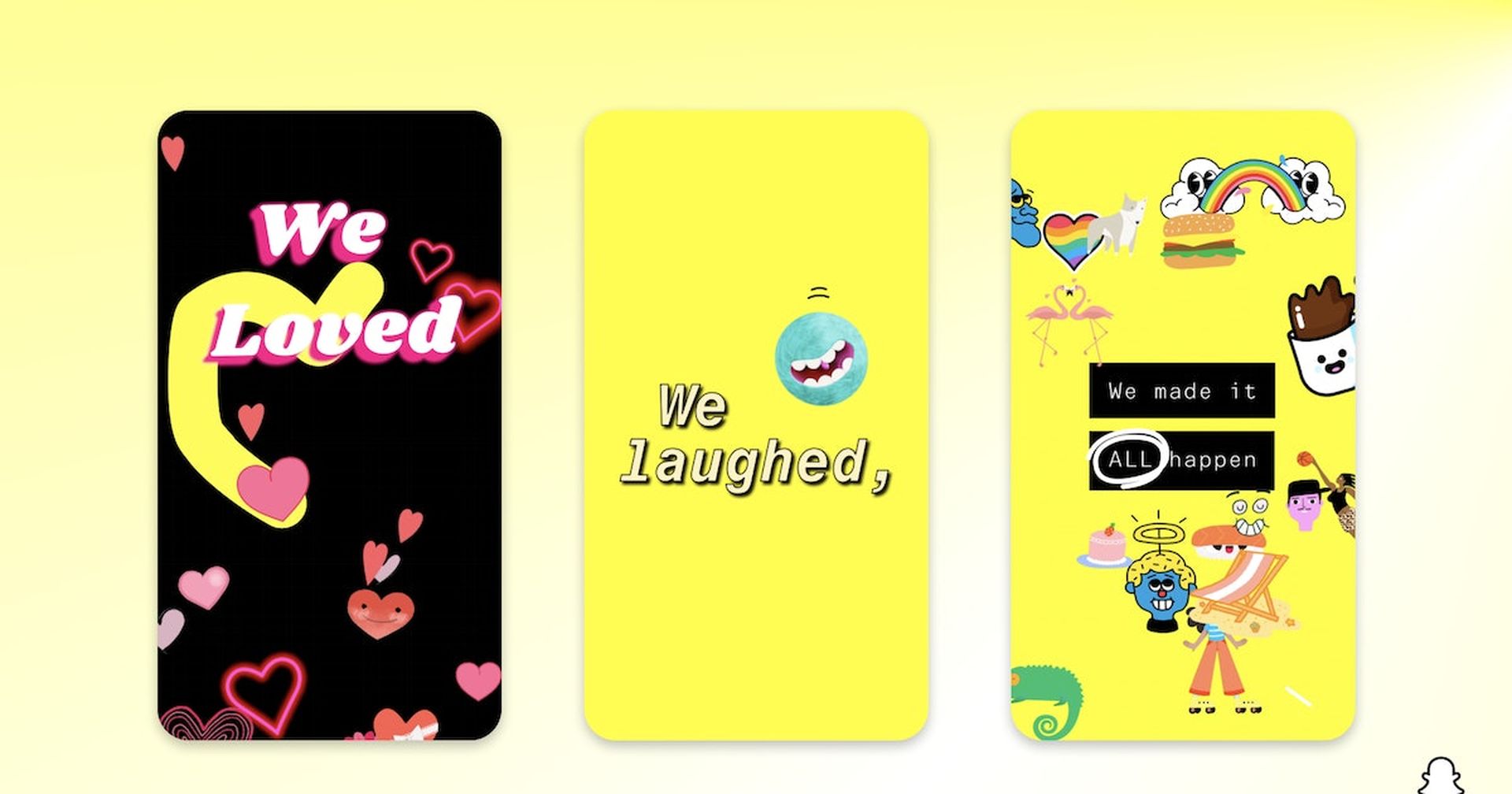
Snapchat has also issued its yearlong summary, joining the ‘Wrapped’ club. The Snapchat Year in Review 2022 is exactly what it sounds like. It collects all of your memorable memories throughout the year and provides a wonderful nostalgia piece. While many people are irritated that the majority of their Snapchat Memories are from their bedroom, it is still an enjoyable experience. Users are ecstatic about the launch and have expressed their enthusiasm on social media channels such as Twitter. Some users, however, are unable to locate their Memories recap on the Snapchat app and others are saying Snapchat Year in Review 2022 not working.

How to fix Snapchat Year in Review 2022 not working?

There is no conclusive answer to Snapchat Year in Review 2022 not working. That is because Snapchat does not disclose how to recover specific content from its servers. However, there are a few options for retrieving your year in review. One option is to contact Snapchat Support and request that your material be restored. Another option is to look for a Snapchat backup service that could have saved your stuff.

When we think of the end of a year, Wrapped content of apps comes to mind and Snapchat is not an exception. Sadly, Snapchat Year in Review 2022 not working...
Also some users say that Snapchat Year in Review 2022 not working because they can’t see it in the app

According to Snap, if you do not have a Snapchat Year in Review 2022, it is because you either did not save enough Snaps in Memories or are new to the service. When you launch Snapchat, go to Memories and scroll down to see if your Year In Review was successful.

How to find Snapchat Year in Review 2022?

Finding your Snapchat Year in Review 2022 is really simple, and the methods are as follows:

  1. Launch the Snapchat camera.
  2. To access your Memories, swipe up.
  3. The ‘A Look Back at 2022’ option may be found here.
  4. To view your Snapchat Year in Review, click on it.

It will contain a film developed specifically for you that incorporates a preview of the videos, selfies, and snaps you took during the year.
When we think of the end of a year, Wrapped content of apps comes to mind and Snapchat is not an exception. Sadly, Snapchat Year in Review 2022 not working...
We hope that you were able to see your last year recapped

Hopefully, you were able to fix the Snapchat Year in Review 2022 not working issue. We also suggest that you read some of our other articles, such as how to get Snapchat year in review 2022, or what does Styll mean on Snapchat.



Tags: guidesnapchat
ShareTweet
Önder Erdine

Önder Erdine

Related Posts

How to download free ringtones from Zedge

How to download free ringtones from Zedge

13 January 2026
How to force stop apps and services on Android

How to force stop apps and services on Android

13 January 2026
Simple steps to install the latest Android patches

Simple steps to install the latest Android patches

13 January 2026
Simple ways to install and remove programs on Ubuntu

Simple ways to install and remove programs on Ubuntu

12 January 2026
Please login to join discussion

LATEST

How to download free ringtones from Zedge

How to force stop apps and services on Android

Simple steps to install the latest Android patches

Paramount sues Warner Bros. over Netflix deal disclosures

Apple chose Google Gemini for Siri

Apple paid developers $550B since App Store launch

Amazon reveals 97% of shipped devices support Alexa+

Xiaomi to launch fully self-developed smartphone in 2026

New WhatsApp parental controls will block strangers

Galaxy Unpacked 2026: S26 Ultra arrives just before MWC

TechBriefly

© 2021 TechBriefly is a Linkmedya brand.

  • Tech
  • Business
  • Science
  • Geek
  • How to
  • About
  • Privacy
  • Terms
  • Contact
  • | Network Sites |
  • Digital Report
  • LeaderGamer

Follow Us

No Result
View All Result
  • Tech
  • Business
  • Crypto
  • Science
  • Geek
  • How to
  • About
    • About TechBriefly
    • Terms and Conditions
    • Privacy Policy
    • Contact Us
    • Languages
      • 中文 (Chinese)
      • Dansk
      • Deutsch
      • Español
      • English
      • Français
      • Nederlands
      • Italiano
      • 日本语 (Japanese)
      • 한국인 (Korean)
      • Norsk
      • Polski
      • Português
      • Pусский (Russian)
      • Suomalainen
      • Svenska