

TechBriefly
  • Tech
  • Business
  • Crypto
  • Science
  • Geek
  • How to
  • About
    • About TechBriefly
    • Terms and Conditions
    • Privacy Policy
    • Contact Us
    • Languages
      • 中文 (Chinese)
      • Dansk
      • Deutsch
      • Español
      • English
      • Français
      • Nederlands
      • Italiano
      • 日本语 (Japanese)
      • 한국인 (Korean)
      • Norsk
      • Polski
      • Português
      • Pусский (Russian)
      • Suomalainen
      • Svenska
No Result
View All Result
TechBriefly
Home Tech Software
CarPlay screenshots finally get an off switch

CarPlay screenshots finally get an off switch

For years, CarPlay users have experienced frustration when taking screenshots on their iPhones while connected to their vehicle's system.

Aytun ÇelebibyAytun Çelebi
30 July 2025
in Software, Tech
Reading Time: 1 min read
Share on FacebookShare on Twitter

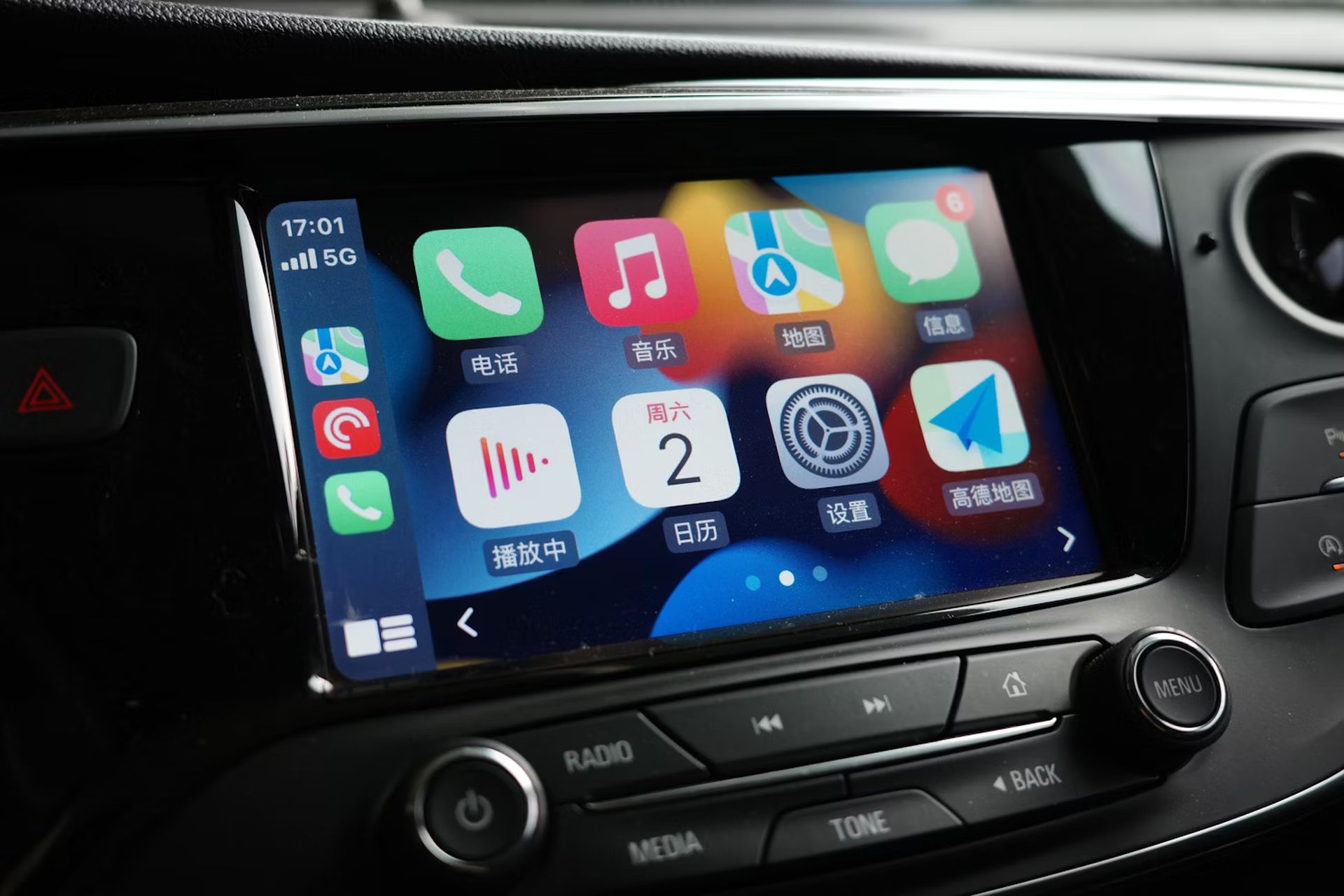
iOS 26 introduces significant enhancements to Apple’s CarPlay platform, headlined by a new Liquid Glass design and widget support. However, a seemingly minor feature is generating considerable praise among users: the ability to disable CarPlay screenshots.

For years, CarPlay users have experienced frustration when taking screenshots on their iPhones while connected to their vehicle’s system. Previously, screenshots captured on the iPhone would automatically include the CarPlay display, resulting in hundreds of unwanted images in users’ photo libraries.

iOS 26 addresses this annoyance by defaulting to disable CarPlay screenshots entirely. Following the update, users can take screenshots of their iPhone without simultaneously capturing the CarPlay interface.

While this change might seem minor, social media reactions indicate it’s solving a genuine pain point for CarPlay users. The modification comes as part of Apple’s broader CarPlay overhaul in iOS 26, which includes the visually striking Liquid Glass design language and expanded widget functionality for in-car use.

Tags: Applecarplay
ShareTweet
Aytun Çelebi

Aytun Çelebi

Starting with coding on Commodore 64 in elementary school moving to web programming in his teenage years, Aytun has been around technology for over 30 years, and he has been a tech journalist for over 20 years now. He worked in many major Turkish outlets (newspapers, magazines, TV channels and websites) and managed some. Besides journalism, he worked as a copywriter and PR manager (for Lenovo, HP and many international brands ) in agencies. He founded his agency, Linkmedya in 2019 to execute his way of producing content. He is recently interested in AI, automation and MarTech.

Related Posts

Narwal unveils Flow 2 with AI pet monitoring at CES 2026

Narwal unveils Flow 2 with AI pet monitoring at CES 2026

6 January 2026
Hyundai reveals Boston Dynamics and DeepMind alliance at CES 2026

Hyundai reveals Boston Dynamics and DeepMind alliance at CES 2026

6 January 2026
Intel unveils Core Ultra Series 3 at CES 2026

Intel unveils Core Ultra Series 3 at CES 2026

6 January 2026
Amazon takes Alexa to the web with launch of Alexa.com at CES 2026

Amazon takes Alexa to the web with launch of Alexa.com at CES 2026

6 January 2026

LATEST

How to download and migrate your content from Microsoft Stream

Easy ways to make a YouTube music video with just pictures

Easy steps to build your own music video for YouTube

How to add videos and movies to compatible iPod models easily

Narwal unveils Flow 2 with AI pet monitoring at CES 2026

Hyundai reveals Boston Dynamics and DeepMind alliance at CES 2026

Intel unveils Core Ultra Series 3 at CES 2026

Amazon takes Alexa to the web with launch of Alexa.com at CES 2026

Amazon enters lifestyle TV market with $899 Ember Artline

Google previews Gemini AI features for Google TV

TechBriefly

© 2021 TechBriefly is a Linkmedya brand.

  • Tech
  • Business
  • Science
  • Geek
  • How to
  • About
  • Privacy
  • Terms
  • Contact
  • | Network Sites |
  • Digital Report
  • LeaderGamer

Follow Us

No Result
View All Result
  • Tech
  • Business
  • Crypto
  • Science
  • Geek
  • How to
  • About
    • About TechBriefly
    • Terms and Conditions
    • Privacy Policy
    • Contact Us
    • Languages
      • 中文 (Chinese)
      • Dansk
      • Deutsch
      • Español
      • English
      • Français
      • Nederlands
      • Italiano
      • 日本语 (Japanese)
      • 한국인 (Korean)
      • Norsk
      • Polski
      • Português
      • Pусский (Russian)
      • Suomalainen
      • Svenska