TechBriefly
  • Tech
  • Business
  • Crypto
  • Science
  • Geek
  • How to
  • About
    • About TechBriefly
    • Terms and Conditions
    • Privacy Policy
    • Contact Us
    • Languages
      • 中文 (Chinese)
      • Dansk
      • Deutsch
      • Español
      • English
      • Français
      • Nederlands
      • Italiano
      • 日本语 (Japanese)
      • 한국인 (Korean)
      • Norsk
      • Polski
      • Português
      • Pусский (Russian)
      • Suomalainen
      • Svenska
No Result
View All Result
TechBriefly
Home Tech AI
Canva adds AI text-to-video tool powered by Veo 3

Canva adds AI text-to-video tool powered by Veo 3

TB EditorbyTB Editor
19 June 2025
in AI
Reading Time: 1 min read
Share on FacebookShare on Twitter

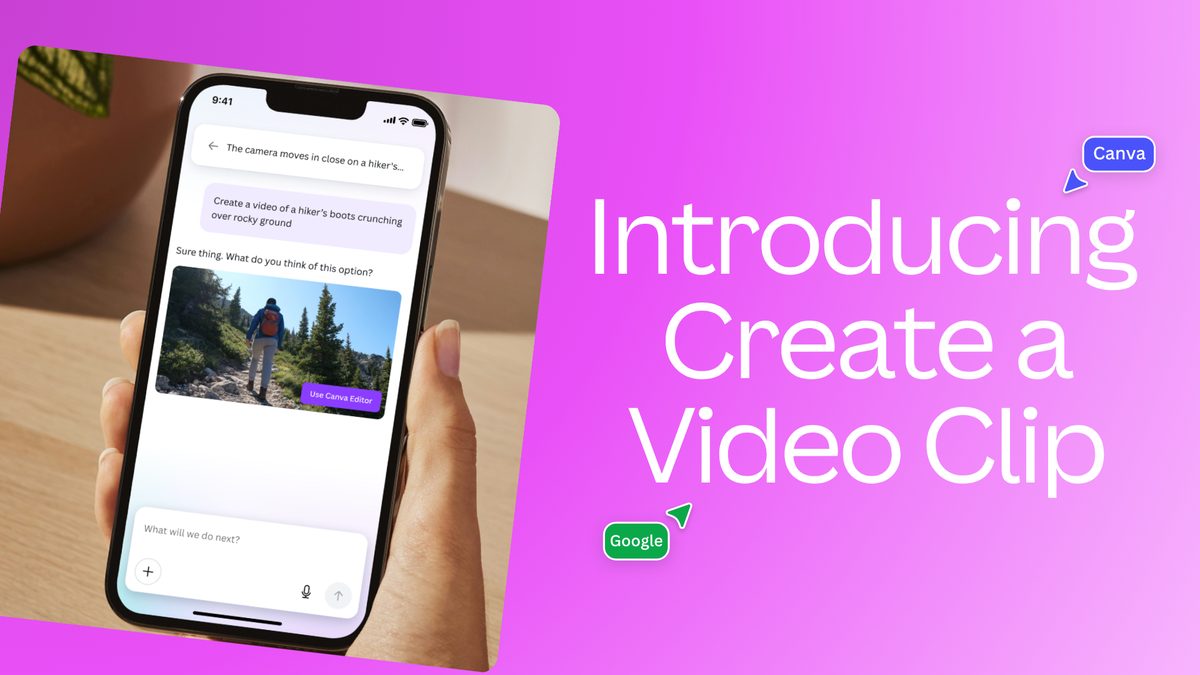
Canva has unveiled a new artificial intelligence (AI) text-to-video tool called “Create a Video Clip,” significantly expanding its AI suite. Announced on Wednesday, the feature is powered by Google’s Veo 3 AI model, enabling cinematic-quality video rendering and native audio generation.

The “Create a Video Clip” tool is accessible to Canva Pro, Teams, Enterprise, and Nonprofit subscribers, as well as those subscribed to Canva-owned Leonardo.ai. For individual users, Canva Pro costs Rs. 500 per month or Rs. 4,000 annually.

Users can access the new feature via the Canva AI page, found on the home page sidebar. The tool generates eight-second-long videos, with an initial limit of five video generations per month. Canva has indicated plans to expand this limit in the future.

Testing revealed that the Veo 3-powered feature can produce realistic videos with accompanying audio in under two minutes, adhering closely to text prompts. Once generated, videos automatically open in Canva’s Video Editor, allowing for further fine-tuning.

Videos are generated in a 1,920 x 1,080 resolution. While the resolution can be adjusted, the aspect ratio remains fixed. Generated videos can also be integrated into other design formats within the platform.

Canva emphasized its commitment to safety, noting that the “Create a Video Clip” feature is backed by Canva Shield. This safety tool moderates both input prompts and generated output to prevent the creation of harmful or unsafe content.

In a separate development, Canva also announced its intent to acquire MagicBrief, an AI-powered creative intelligence platform. The financial terms of this potential acquisition were not disclosed.


Tags: AICanvaGoogletext to videoVeo 3video
ShareTweet
TB Editor

TB Editor

Related Posts

EA investigates AI claims in Battlefield 6 cosmetics

EA investigates AI claims in Battlefield 6 cosmetics

24 December 2025
Amazon Alexa+ will book your hotels and salons starting in 2026

Amazon Alexa+ will book your hotels and salons starting in 2026

24 December 2025
OpenAI launches Skills in Codex

OpenAI launches Skills in Codex

24 December 2025
Google is hitting the brakes on its plan to kill Assistant

Google is hitting the brakes on its plan to kill Assistant

22 December 2025

LATEST

New WhatsApp update brings 2026 stickers and video call effects

Leaker reveals Xiaomi plans for high end eSIM device in 2026

HP prepares OMEN OLED monitor reveal for CES 2026

High RAM costs from AI boom could delay next Xbox and PlayStation

LG to unveil its Gallery TV at CES 2026

Bitcoin drops 3% to $87,300 as altcoins decline

How to install mods and custom content in The Sims 2

Running Python files and fixing path errors on Windows

How to boot your PC into Command Prompt for troubleshooting

How to delete a virus using Command Prompt

TechBriefly

© 2021 TechBriefly is a Linkmedya brand.

  • Tech
  • Business
  • Science
  • Geek
  • How to
  • About
  • Privacy
  • Terms
  • Contact
  • | Network Sites |
  • Digital Report
  • LeaderGamer

Follow Us

No Result
View All Result
  • Tech
  • Business
  • Crypto
  • Science
  • Geek
  • How to
  • About
    • About TechBriefly
    • Terms and Conditions
    • Privacy Policy
    • Contact Us
    • Languages
      • 中文 (Chinese)
      • Dansk
      • Deutsch
      • Español
      • English
      • Français
      • Nederlands
      • Italiano
      • 日本语 (Japanese)
      • 한국인 (Korean)
      • Norsk
      • Polski
      • Português
      • Pусский (Russian)
      • Suomalainen
      • Svenska