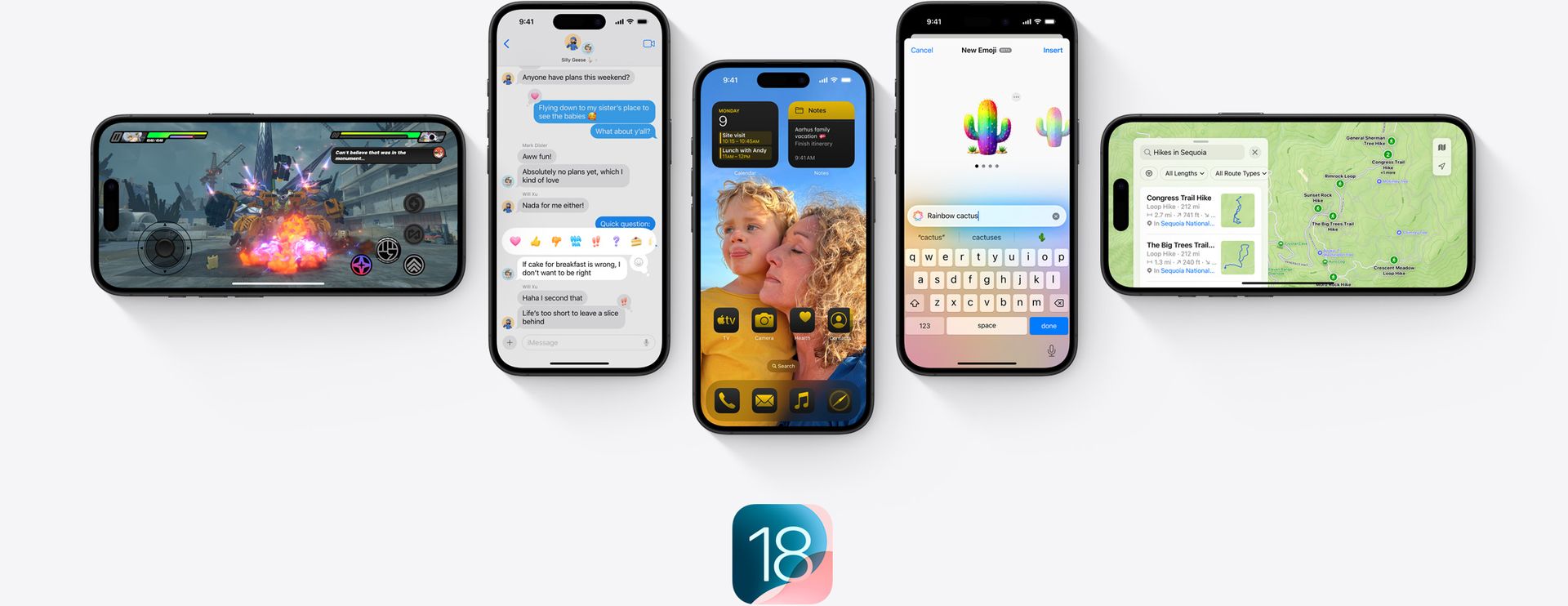

Apple users could start downloading the anticipated iOS 18 update for iPhones yesterday, September 16. Following Apple’s big September event where Apple unveiled the new iPhone 16 series and Apple Watch Series 10, the latest iPhone iOS 18 software is now available for public download. As the name suggests, this is a new version that brings many different features to your phone.
What new features does iOS 18 bring to the iPhone?
From fully customizable home screens to improvements in messaging and a revamp of the Control Center, iOS 18 introduces a variety of new features designed to make iPhone life smoother. So, what exactly can users expect? Let’s dive into what iOS 18 has in store for your iPhone.
Personalized home screen experience
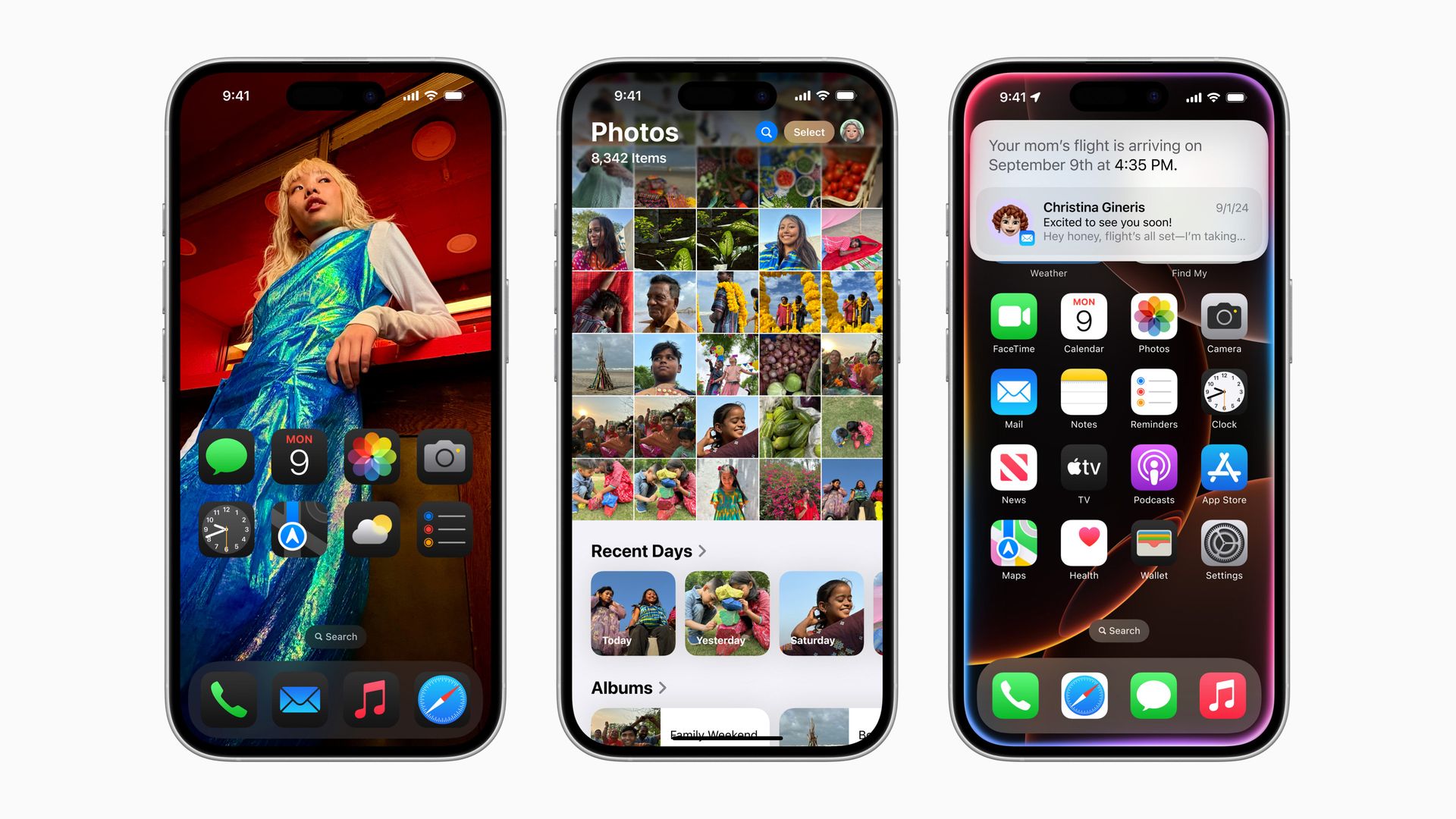
Apple users have been able to customize their home and lock screens for some time, but iOS 18 takes customization to the Android level. This update allows users to organize apps and widgets wherever they want on their home screen. This wasn’t possible before and was much criticized. Instead of having apps automatically sorted from top to bottom, users now have more freedom to arrange them around the background of their choice or simply to suit their aesthetic.
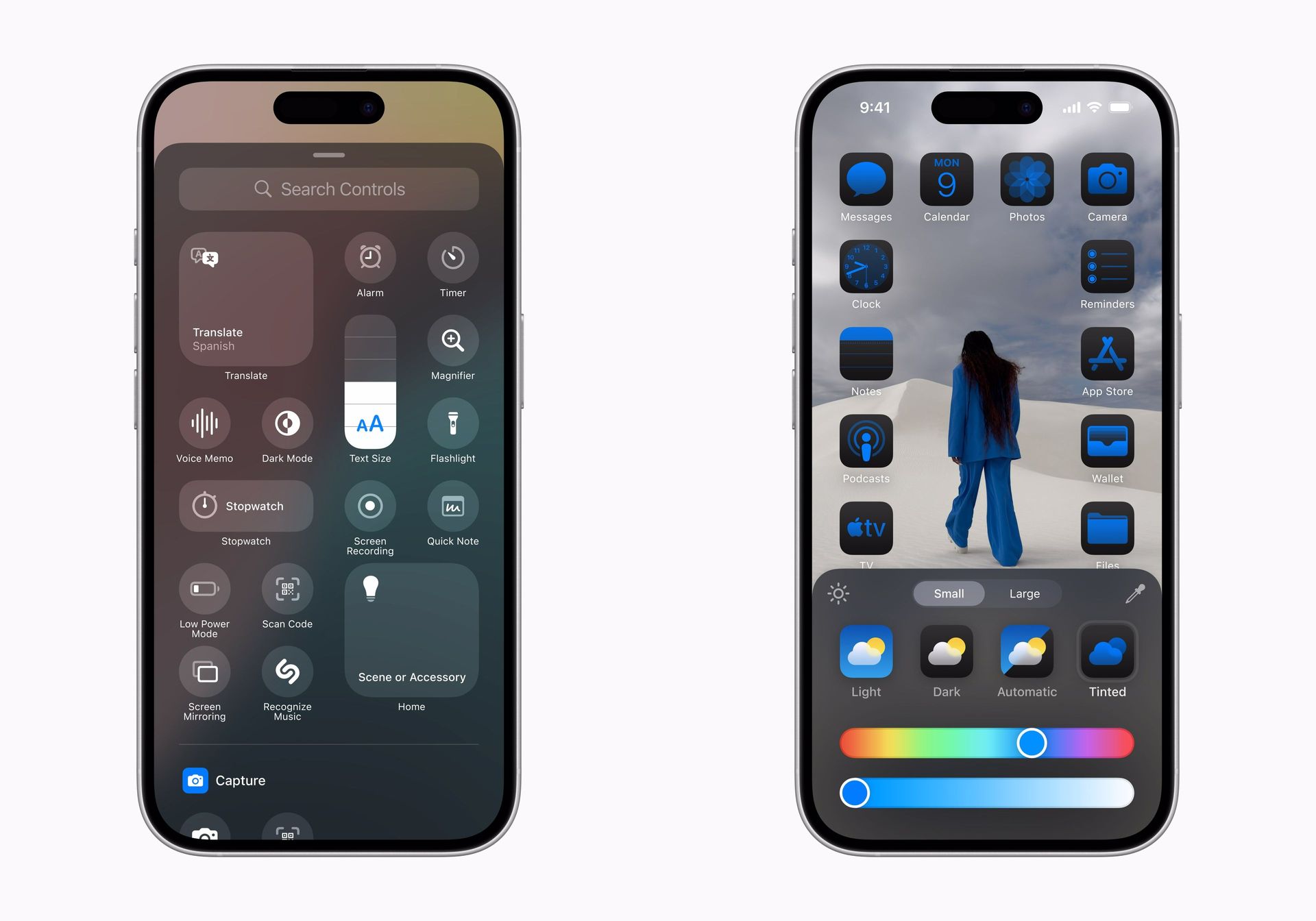
During Apple’s WWDC event, Apple’s software engineering leader Craig Federighi demonstrated the personalization features. This is a feature that Android users have enjoyed for years, it’s a bit of a shame that it’s new to Apple. In addition, app icons can now be customized with dark mode filters or color tones that match your wallpaper, adding another layer of personalization.
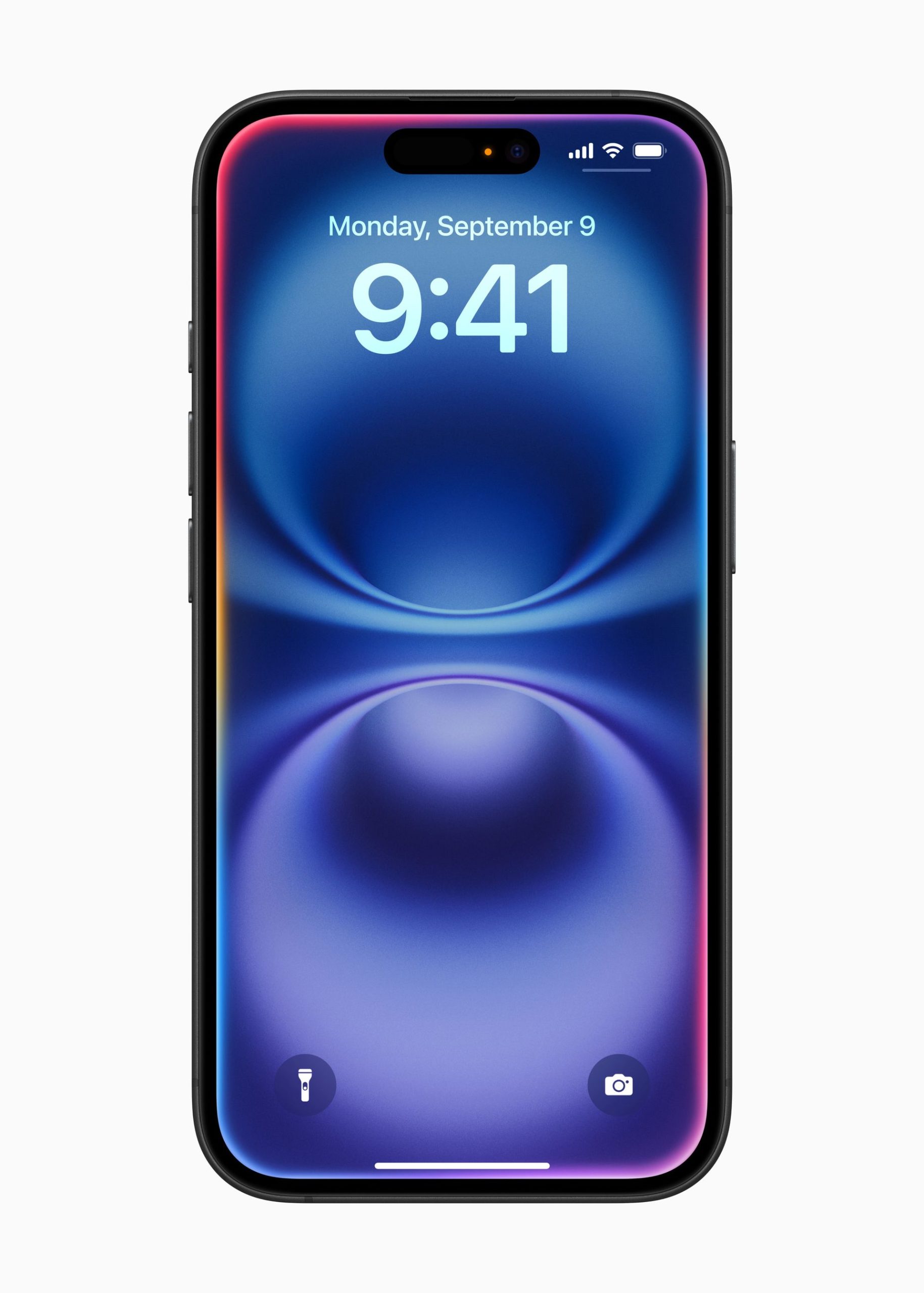
On top of that, the lock screen gets more flexibility too. Previously, users had a default camera and flashlight button, but now these can be swapped for other functions. This small change could save users from accidentally turning on their flashlight while tucking their phone into a pocket—a common issue for many.
The Control Center gets a boost
Apple’s Control Center has always been a go-to for quick settings, but iOS 18 takes it up a notch by making it even more useful and customizable. Now, users can have quicker access to their most-used controls, like music or specific apps. Not only can you select which apps appear, but you can also adjust their size for easier tapping, particularly useful if you’re juggling tasks on the go.
For those who use their iPhones to control smart home devices, the updated Control Center allows for more streamlined interactions, ensuring you spend less time swiping and more time doing what you need.
New messaging features
One of the most exciting updates in iOS 18 comes in the Messages app. The ability to schedule messages for later is finally available, making it easier for users to plan their communications, whether it’s for work or birthday wishes. In addition, new Tapback reactions allow users to respond more eloquently, making group conversations more dynamic.
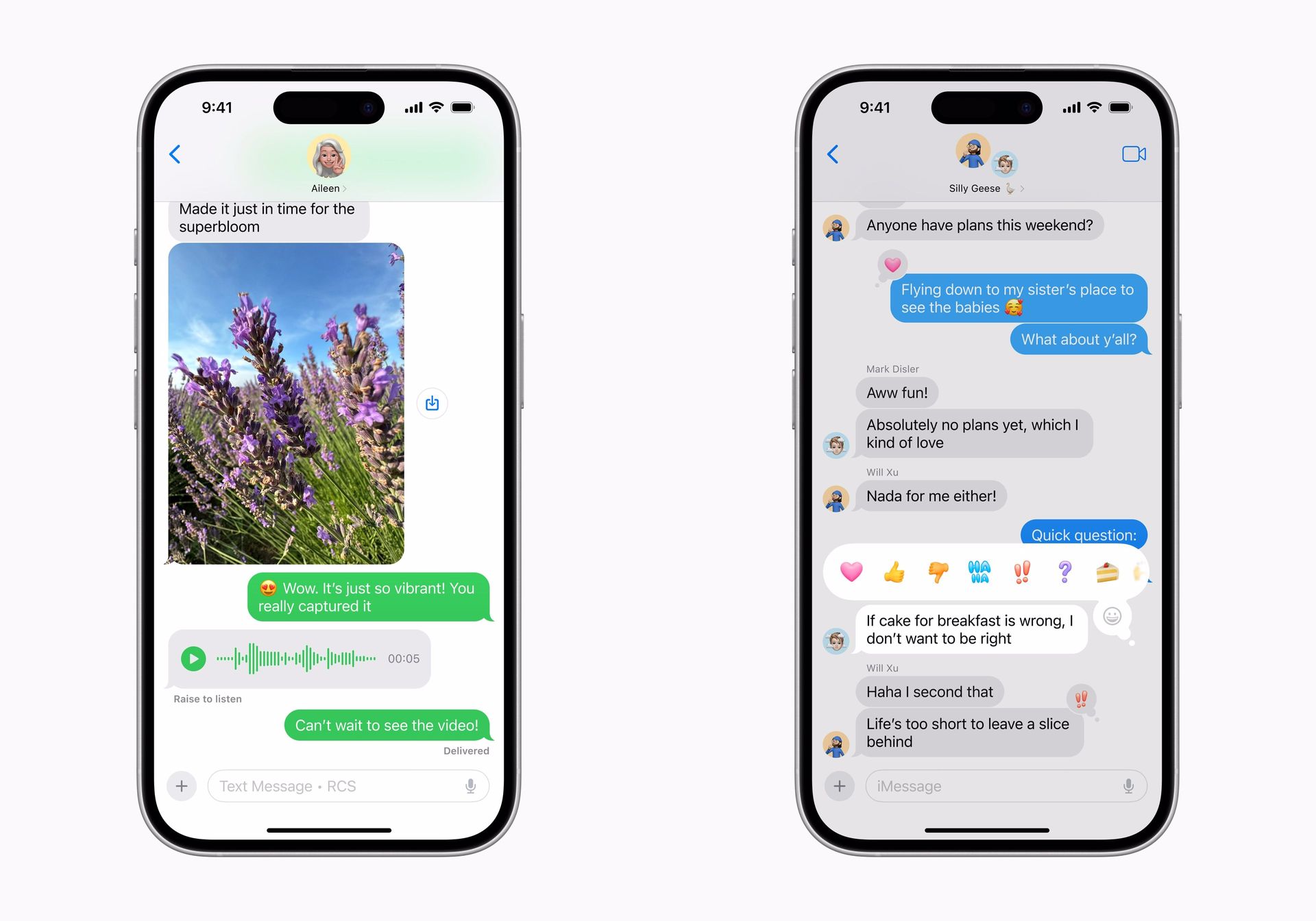
Text formatting has also been upgraded, allowing users to bold, underline, or apply text effects directly in conversation. This may seem like a small addition, but it opens up more ways to highlight important information in a casual or professional setting.
iOS 18 also introduces a big change, such as sending messages via satellite. For those who like mountaineering, hiking, or trekking, this could be a lifesaver. It allows users to send messages without a cell signal, similar to the SOS feature offered on previous iPhones. But the feature isn’t limited to emergencies; you can now send a quick message to your family from a remote camping spot to let them know you’re safe and sound.
Complementing the message updates, Apple’s adoption of Rich Communication Services (RCS) enables smoother interactions between iPhone and Android users.
Hidden apps and better privacy
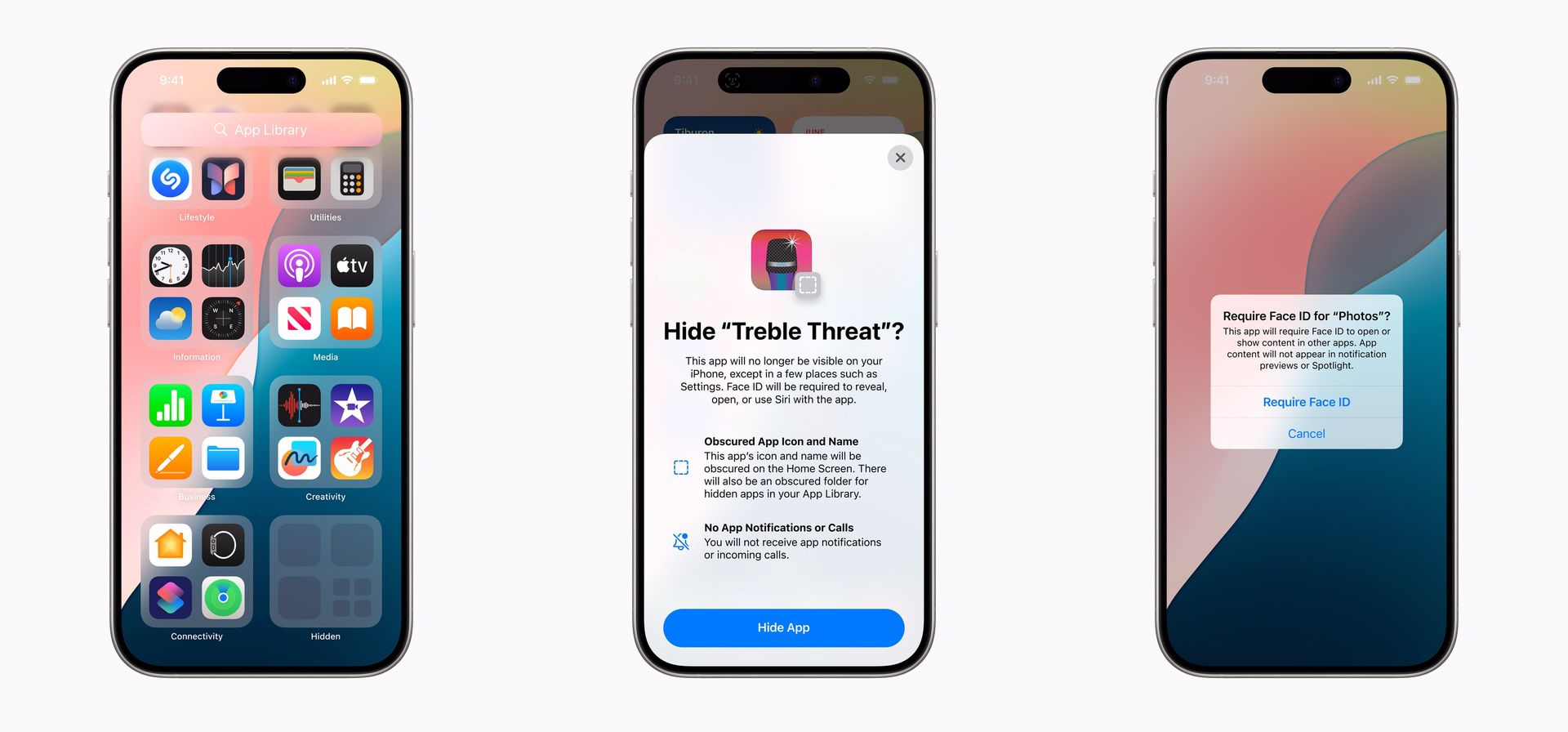
Lending your phone to someone might have previously been a nerve-wracking experience, especially if there were apps you didn’t want them to see. Apple’s new hidden apps feature in iOS 18 aims to solve that problem. Now, users can hide certain apps in a dedicated folder, away from prying eyes, without needing to delete them. Apps stored in this folder remain accessible only to the owner and can even be locked with Face ID or a passcode for added security.
A redesigned photo app
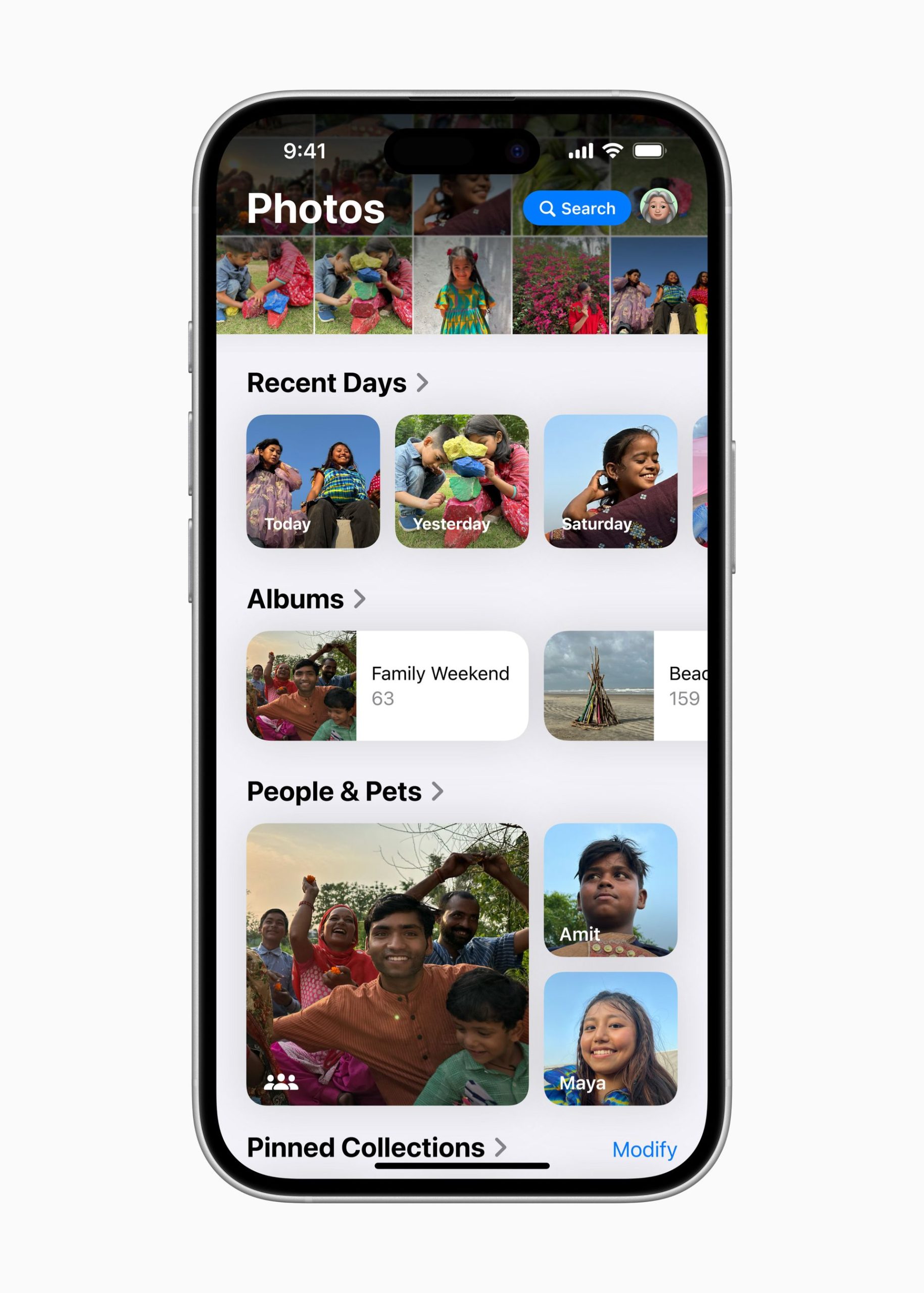
Finding photos in your gallery is about to get a lot easier with iOS 18. Apple has redesigned the Photos app to offer more intuitive organization with categories like “Recent Days” and “Pinned Collections” that help users find specific images faster. There’s also a new feature that filters out unwanted screenshots and receipts, keeping your gallery cleaner and more focused on important memories.
Improved camera settings
Apple didn’t forget about the Camera app in iOS 18 either. A new “Preserve Settings” option lets users maintain their preferred camera configurations for faster and more efficient photo sessions. This is ideal for anyone who regularly toggles between different settings and wants to avoid adjusting them each time they open the app. Simply head to the Camera section in the settings menu, and you’ll find an option to save your favorite setup for easy access.
New password manager app
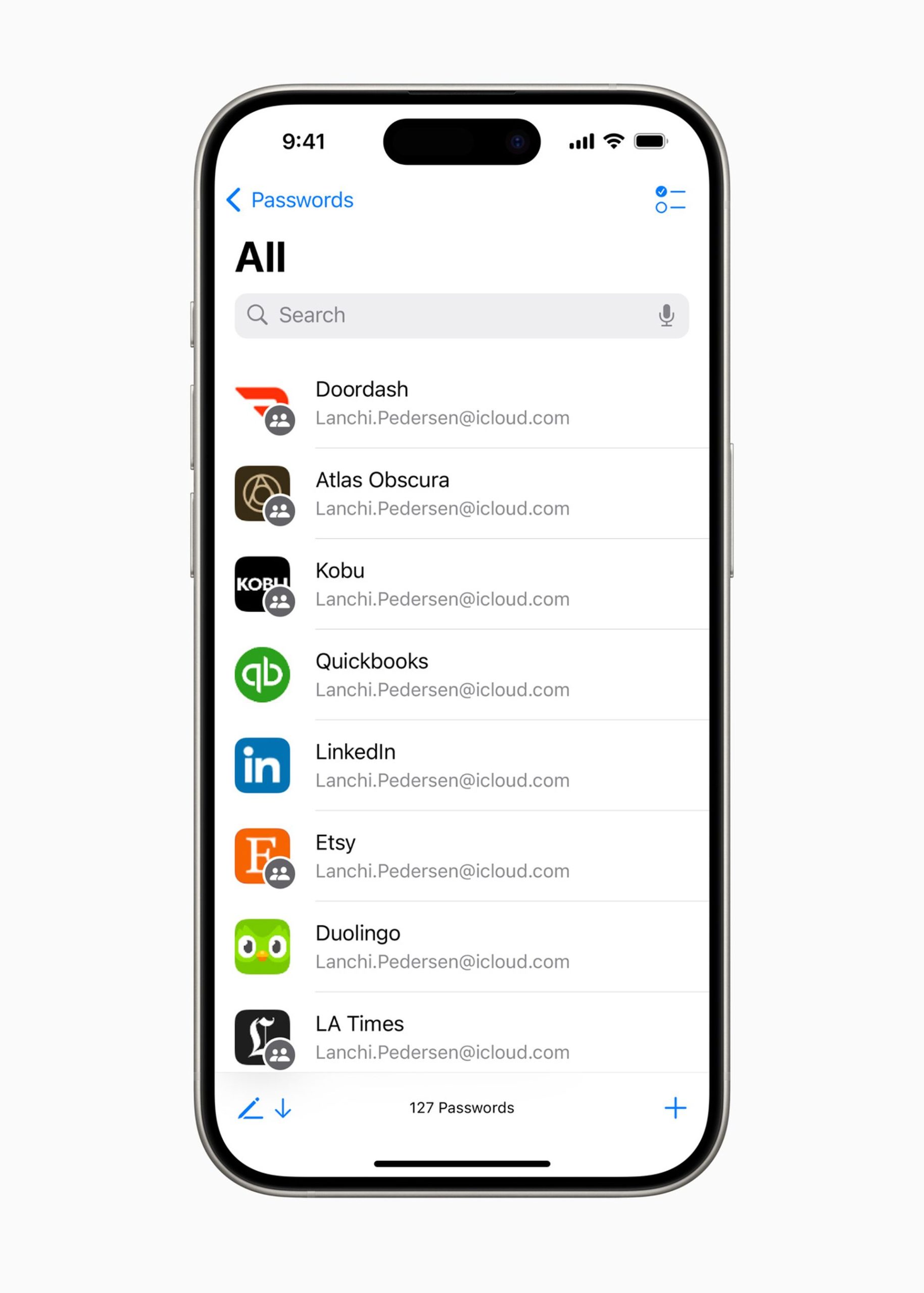
Apple has expanded its existing keychain feature into a full-fledged password management app. Appropriately named “Passwords,” this app stores all your credentials safely and syncs them across all your Apple devices. It’s designed to make life easier by ensuring you don’t have to worry about remembering passwords across multiple platforms.
With seamless integration into the Apple ecosystem, updating passwords across devices is no longer a hassle. Whether you’re updating your Netflix login or securing work-related accounts, the new app keeps everything in one place. It is worth noting that this feature has been available on Google-powered Android devices for quite some time.
Siri and Apple Intelligence
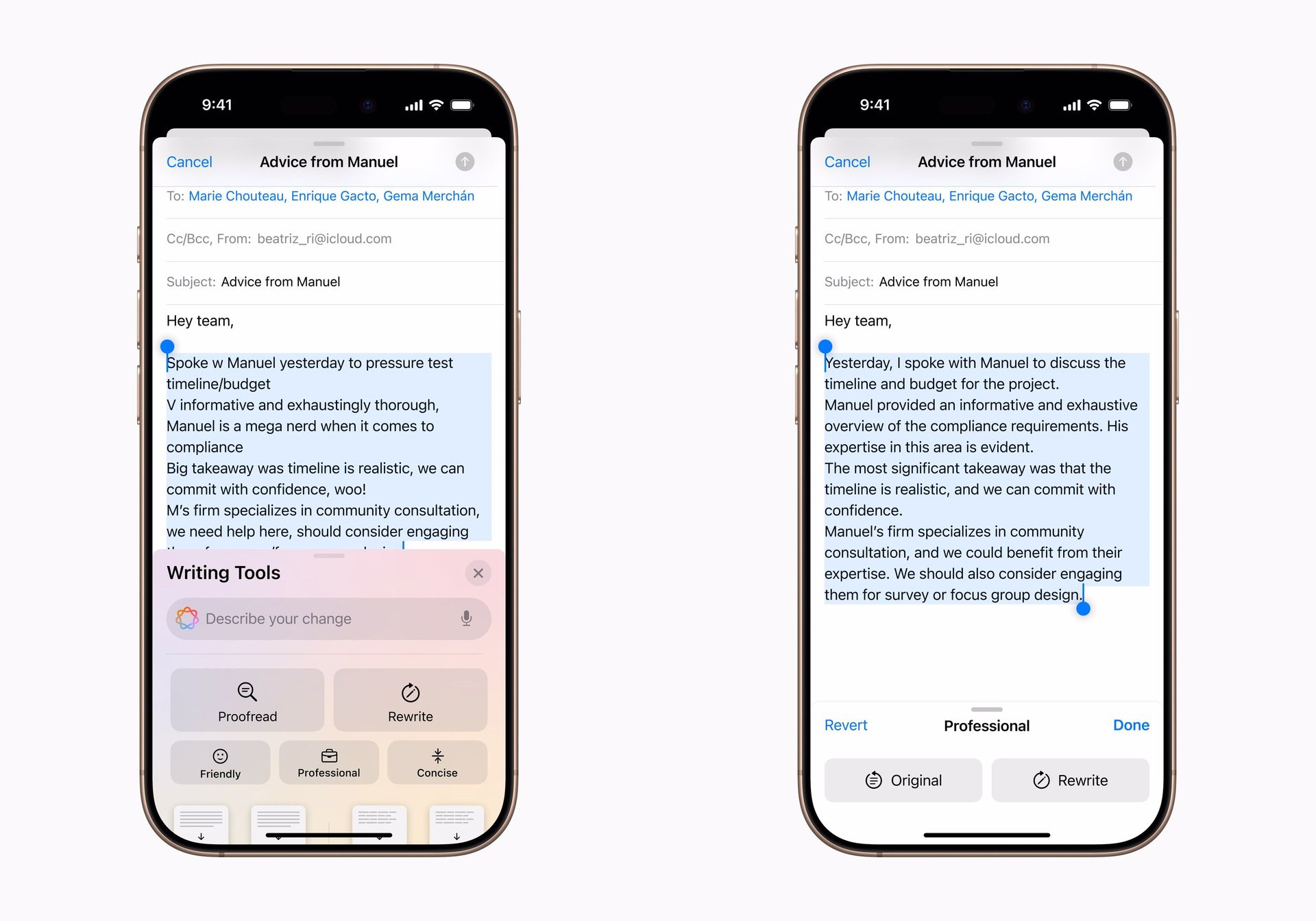
Though not available for everyone just yet, Apple introduced its take on generative AI with Apple Intelligence. For now, this feature will only be available on the iPhone 15 Pro and Pro Max models, but it’s something to keep an eye on.
This AI system promises to bring smarter Siri interactions, allowing users to create new images (known as Genmojis) and access advanced writing tools, among other enhancements. Apple Intelligence is still in its early stages, but it’s something that could expand in future updates.
Nodding to Siri
For those who enjoy the convenience of hands-free control, iOS 18 introduces a new feature for AirPods Pro users. If you have the second generation of these wireless earbuds, you can now control Siri simply by nodding or shaking your head. This feature could come in handy during moments when speaking isn’t practical—whether you’re on a quiet train or trying not to disturb someone nearby.
Game Mode for mobile gaming enthusiasts
Apple is also catering to the growing mobile gaming industry with a new Game Mode in iOS 18. This mode optimizes your iPhone’s performance by minimizing background activities and boosting responsiveness. It’s especially useful for gamers using AirPods or wireless controllers, ensuring a smoother and more immersive gaming experience.
Better integration with Macs
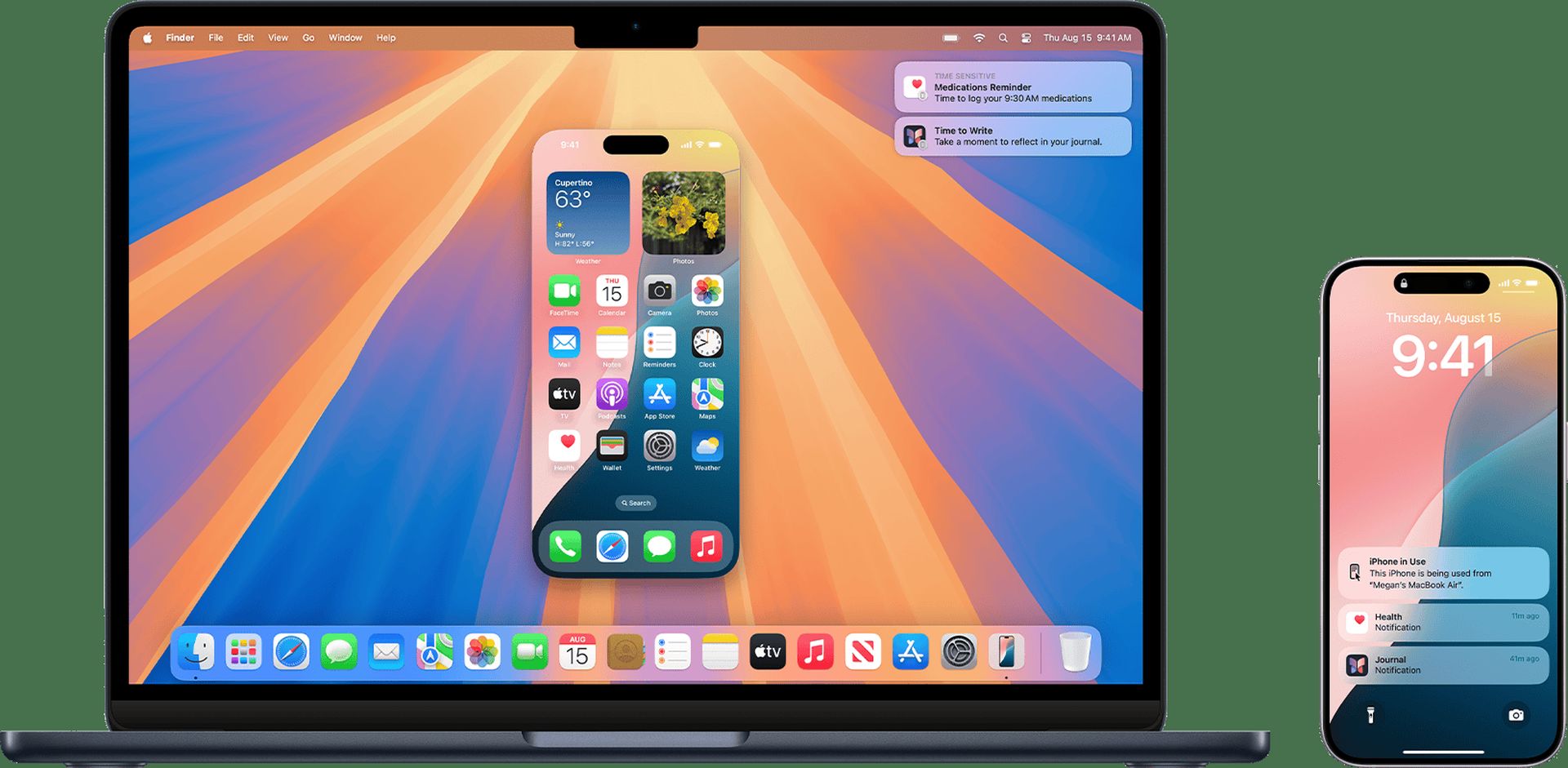
If you’re a Mac user, you’ll be able to use your phone on your computer with iOS 18’s new iPhone Mirroring feature. The update allows iPhone users to access their phones remotely from a Mac, reducing the need to constantly transfer files between devices. It’s a seamless way to interact with your iPhone without ever leaving your desktop screen.
More ways to use SharePlay
SharePlay was introduced in iOS 15, but it’s receiving a big upgrade in iOS 18. With the new enhancements, users can share their screens and even draw on them during a FaceTime session. It’s also possible to control the other person’s screen—useful for remote tech support or helping someone navigate through a task.
Enhanced mail organization

Email users will also benefit from iOS 18’s improvements to the Mail app. New categories, like receipts and newsletters, are now part of the email organizing system, helping users filter through messages faster. This feature makes it easier to stay on top of important invitations, appointments, or other notifications that tend to get lost in a crowded inbox.
Wallet and payment features
Apple’s Wallet app has undergone several upgrades in iOS 18, including a new feature that lets users view and redeem rewards or points directly within the app. This makes Apple Pay even more integrated with everyday shopping, giving users easier access to their bank’s installment financing options.
Another new addition, “Tap to Cash,” lets users quickly transfer funds to others by tapping their phones together, offering a simpler way to send money to friends and family.
Safari highlights and distraction control
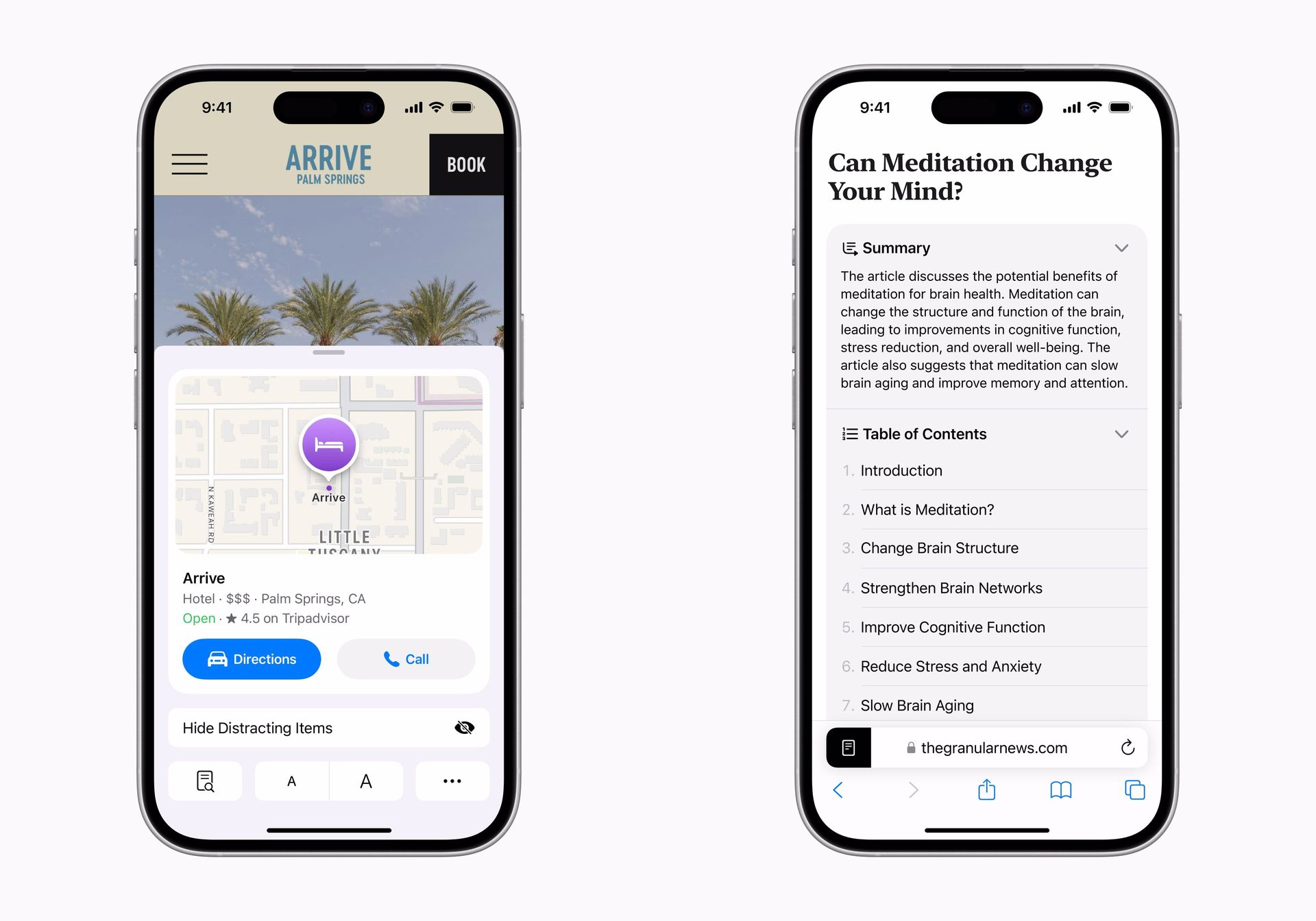
Safari gets smarter with iOS 18, as it now highlights key information on certain websites, such as directions or quick links, allowing users to access important details without searching. Additionally, Safari’s new Distraction Control feature helps users block unnecessary banners or pop-ups on frequently visited sites.
Topographic maps for outdoor adventures
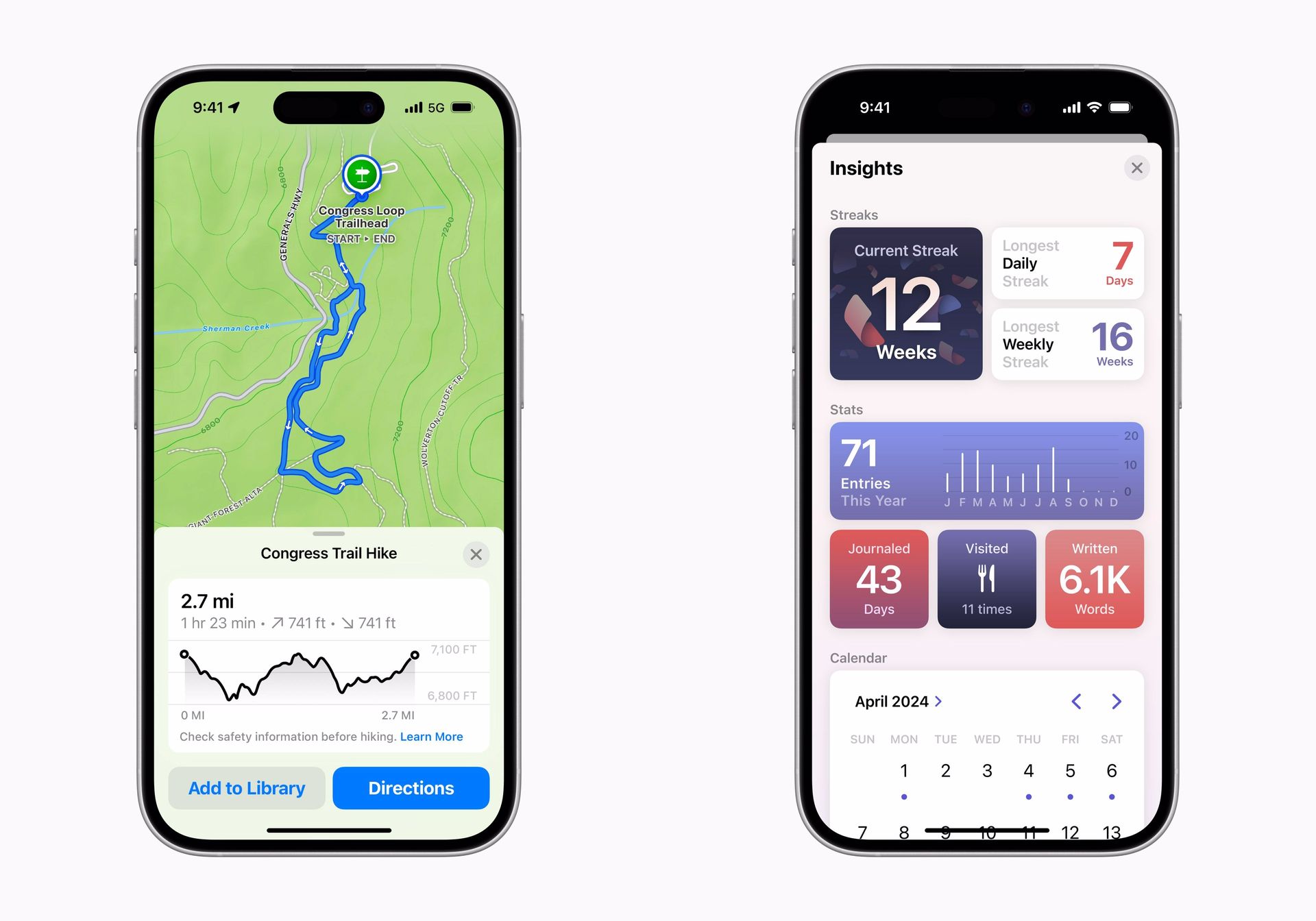
For nature lovers and adventurers, iOS 18 introduces detailed topographic maps in the Maps app. These include hiking routes from over 50 U.S. national parks, and users can even create their custom routes, download them for offline use, and never lose track while out in the wild.
The last word on iOS 18
iOS 18 boasts a variety of Android features designed to make everyday interactions with the iPhone easier and more customizable. Whether it’s improving the way we text, play games, or browse the web, Apple’s latest software has something for every type of user. While the focus is on personalization and privacy, iOS 18 proves that even the smallest changes can have a big impact on how we use our devices.
iOS 18 is just an introduction to Apple’s innovations Many of the features introduced at WWDC have yet to arrive. Users will have to wait for the iOS 18.1 update, especially for Apple Intelligence.
Featured image credit: Apple