

Linux Mint 22 upgrade has arrived, bringing a host of new features and improvements to this popular Linux distribution. This major update builds upon the solid foundation of Ubuntu 24.04 LTS, offering users a refined and enhanced computing experience. The Linux Mint 22 upgrade introduces several changes that longtime users and newcomers alike will appreciate.
The Linux Mint 22 upgrade journey began with the release of its predecessor, Linux Mint 21.3, in December 2023. Since then, the development team has been hard at work, incorporating user feedback and implementing new technologies to create a more robust and user-friendly operating system. The Linux Mint 22 upgrade represents the culmination of these efforts, offering a polished and feature-rich desktop environment.
One of the most notable aspects of the Linux Mint 22 upgrade is its commitment to long-term stability and support. Built on the Ubuntu 24.04 LTS base, this release will receive security updates and support for five years, ensuring users can rely on their systems well into the future.
What’s new in Linux Mint 22 upgrade
The Linux Mint 22 upgrade brings a wealth of new features and improvements to the table.
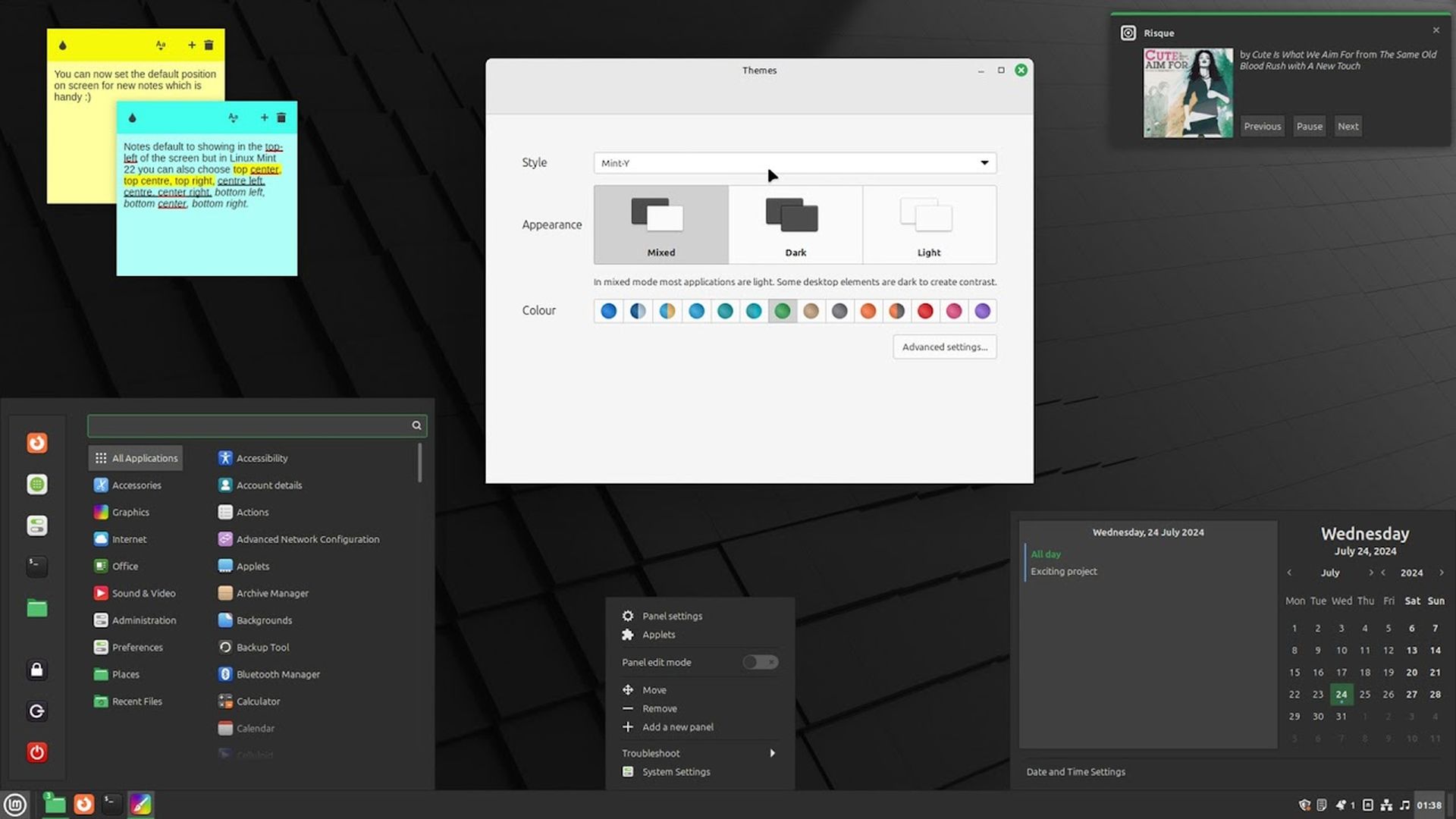
At the core of this release is the updated Cinnamon 6.2 desktop environment, which offers a more refined user experience while maintaining the familiar and intuitive interface that Linux Mint users have come to love.
One of the standout features in the Linux Mint 22 upgrade is the introduction of PipeWire as the default sound server. This change brings improved audio performance, lower latency, and better compatibility with a wide range of Bluetooth devices and applications. Users can expect a smoother and more reliable audio experience across the board.
The Linux Mint 22 upgrade also includes the Linux 6.8 kernel, which provides better hardware support and improved system performance. In a departure from previous releases, the Linux Mint team has announced plans to release new kernel updates every six months through the Ubuntu hardware enablement stack.
This change will ensure that users have access to the latest hardware support and performance improvements without waiting for major distribution upgrades.
Security has been a key focus in the Linux Mint 22 upgrade. Guest sessions are now disabled by default, providing an extra layer of protection for users’ systems and data.
Additionally, the Linux Mint 22 upgrade includes updated themes that support GTK4, ensuring a consistent and modern look across all applications.
How to get Linux Mint 22 upgrade
Obtaining the Linux Mint 22 upgrade is a straightforward process.
For new users or those performing a fresh installation, the first step is to visit the official Linux Mint website and download the ISO image for the desired edition (Cinnamon, MATE, or Xfce). The download size is approximately 2.9 GB, so ensure you have a stable internet connection and sufficient storage space.
Once you have downloaded the ISO, you’ll need to create a bootable USB drive or DVD. Several tools are available for this purpose, such as Etcher or Rufus. After creating your bootable media, restart your computer and boot from the USB drive or DVD to begin the installation process.
For existing Linux Mint users who wish to upgrade from version 21.3, the process is slightly different. The Linux Mint 22 upgrade can be performed using the mintupgrade tool.
To begin, open a terminal and run the command:
to install the upgrade tool.
Once installed, run:
To check for the new release and follow the on-screen instructions to initiate the upgrade process.
It’s important to note that before proceeding with the Linux Mint 22 upgrade, you should create a backup of your important files and settings. The upgrade process will prompt you to do this, but it’s always a good idea to have multiple backups of your data.
How long will Linux Mint 22 be supported?
The Linux Mint 22 upgrade comes with an extended support period, thanks to its Ubuntu 24.04 LTS base. Users can expect to receive security updates and support for a full five years, until April 2029. This long-term support makes the Linux Mint 22 upgrade an excellent choice for users who prefer stability and reliability over frequent major changes.
During this support period, users will continue to receive important security patches and bug fixes, ensuring their systems remain secure and stable. The Linux Mint team is committed to providing a smooth and reliable experience throughout the entire support lifecycle of the Linux Mint 22 upgrade.
It’s worth noting that while major version upgrades (e.g., to Linux Mint 23) won’t be necessary during this period, users will still have the option to upgrade to newer versions as they become available. However, for those who prefer to stick with a stable and familiar environment, the Linux Mint 22 upgrade will serve them well for years to come.
Featured image credit: Freepik