TechBriefly
  • Tech
  • Business
  • Crypto
  • Science
  • Geek
  • How to
  • About
    • About TechBriefly
    • Terms and Conditions
    • Privacy Policy
    • Contact Us
    • Languages
      • 中文 (Chinese)
      • Dansk
      • Deutsch
      • Español
      • English
      • Français
      • Nederlands
      • Italiano
      • 日本语 (Japanese)
      • 한국인 (Korean)
      • Norsk
      • Polski
      • Português
      • Pусский (Russian)
      • Suomalainen
      • Svenska
No Result
View All Result
TechBriefly
Home Geek
How to complete the Fortnite Discord Quest?

How to complete the Fortnite Discord Quest?

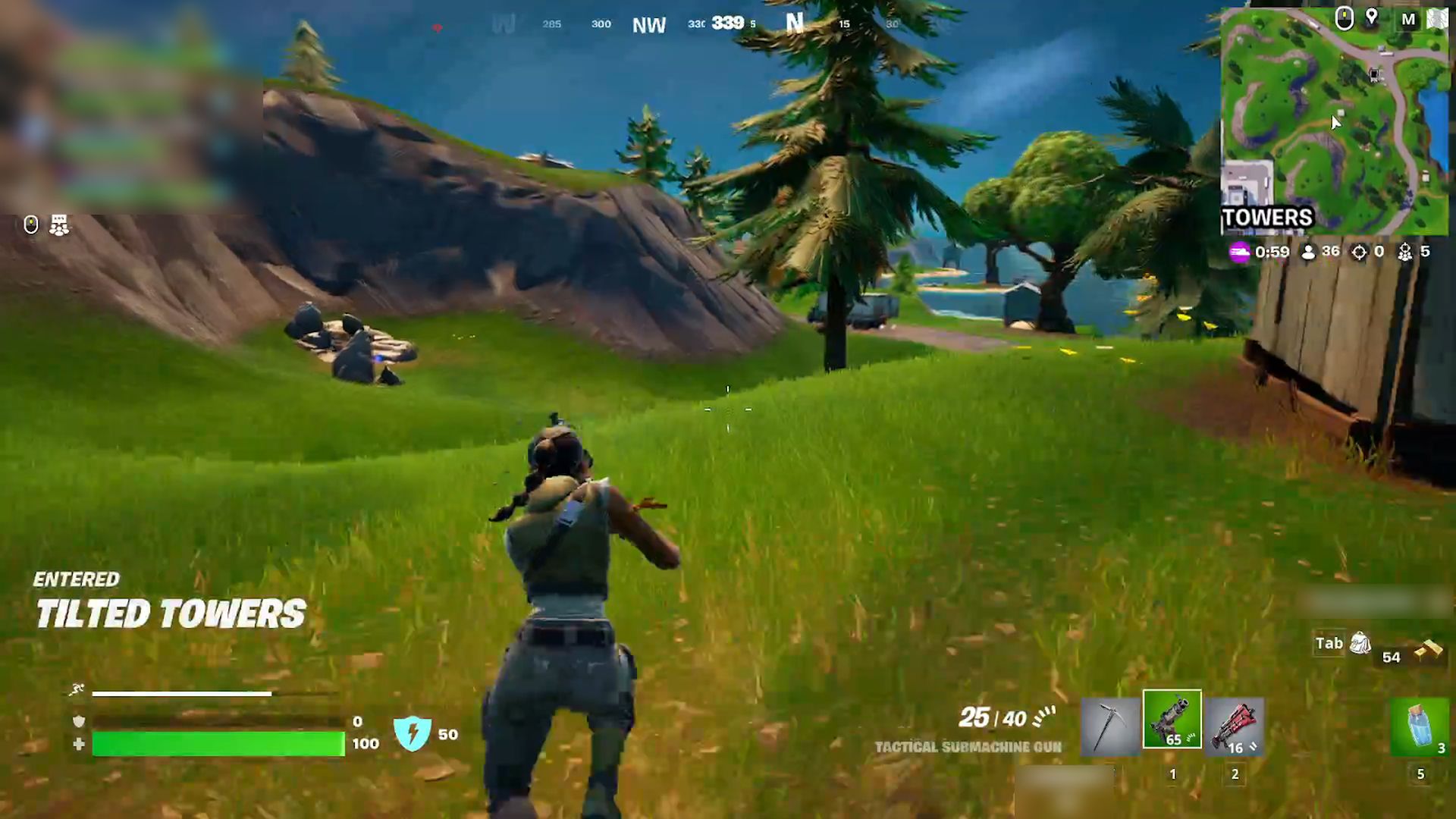
Fortnite players can get a limited-time Victory Crown avatar ornament by playing Fortnite for 15 minutes and completing the Fortnite Discord Quest.

Barış SelmanbyBarış Selman
28 June 2024
in Geek
Reading Time: 2 mins read
Share on FacebookShare on Twitter

Here’s everything you need to know about Fortnite Discord Quest! Attention, Fortnite fans! By spending just 15 minutes playing Fortnite, you can be entered to win a limited-time Fortnite Victory Crown avatar ornament.

If you don’t want to miss out on this unique opportunity, crown your avatar with this special crown right now! I can hear you asking how to do it. Let’s go through the steps!

Who can benefit from the Fornite Discord Quest campaign?

Desktop Fortnite players and platforms where Discord is available are eligible for this campaign. However, Discord’s premium services are limited in some regions. You are not eligible for this quest and reward if you do not have access to the Gift Inventory.

This event lasts until July 4th; you have until July 9th to redeem the reward. So hop on Discord, start your 15-minute Fortnite adventure, and grab that crown!

How do you complete the Fortnite Discord Quest and get the reward?

Completing the quest is simple – players who meet the eligibility criteria must play Fortnite for at least 15 minutes. After completing the quest, you can claim the Fortnite Victory Crown in two different ways:

  • Go to the Gift Inventory in your User Settings and select “Claim Reward” under “Fortnite Reload Mission.”
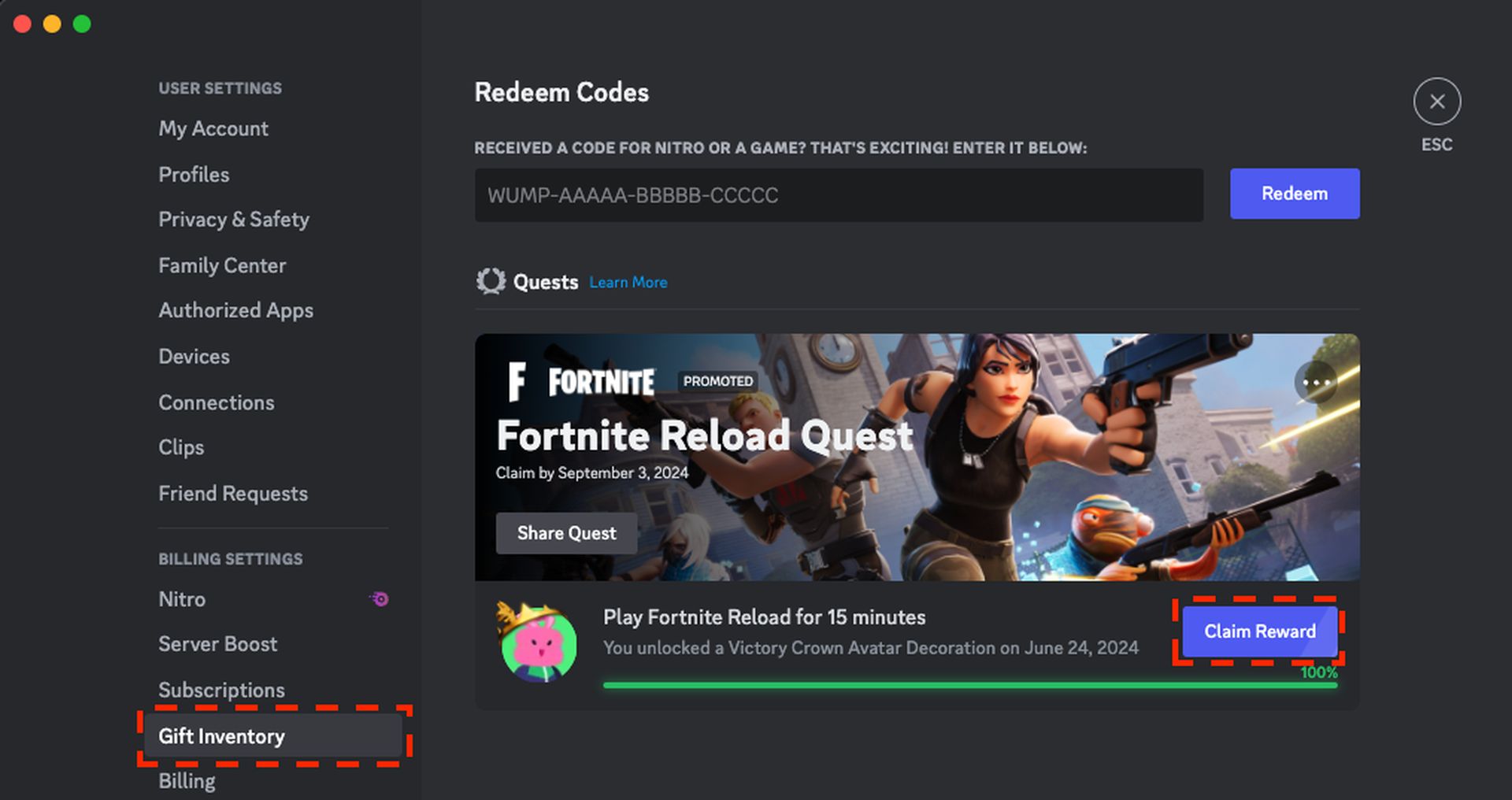
    How to complete the Fortnite Discord Quest?
    The Fortnite Discord Quest campaign is open to desktop Fortnite players and platforms where Discord is available (Image credit)
  • You can also claim your reward by pressing the “Claim Reward” button in the taskbar.
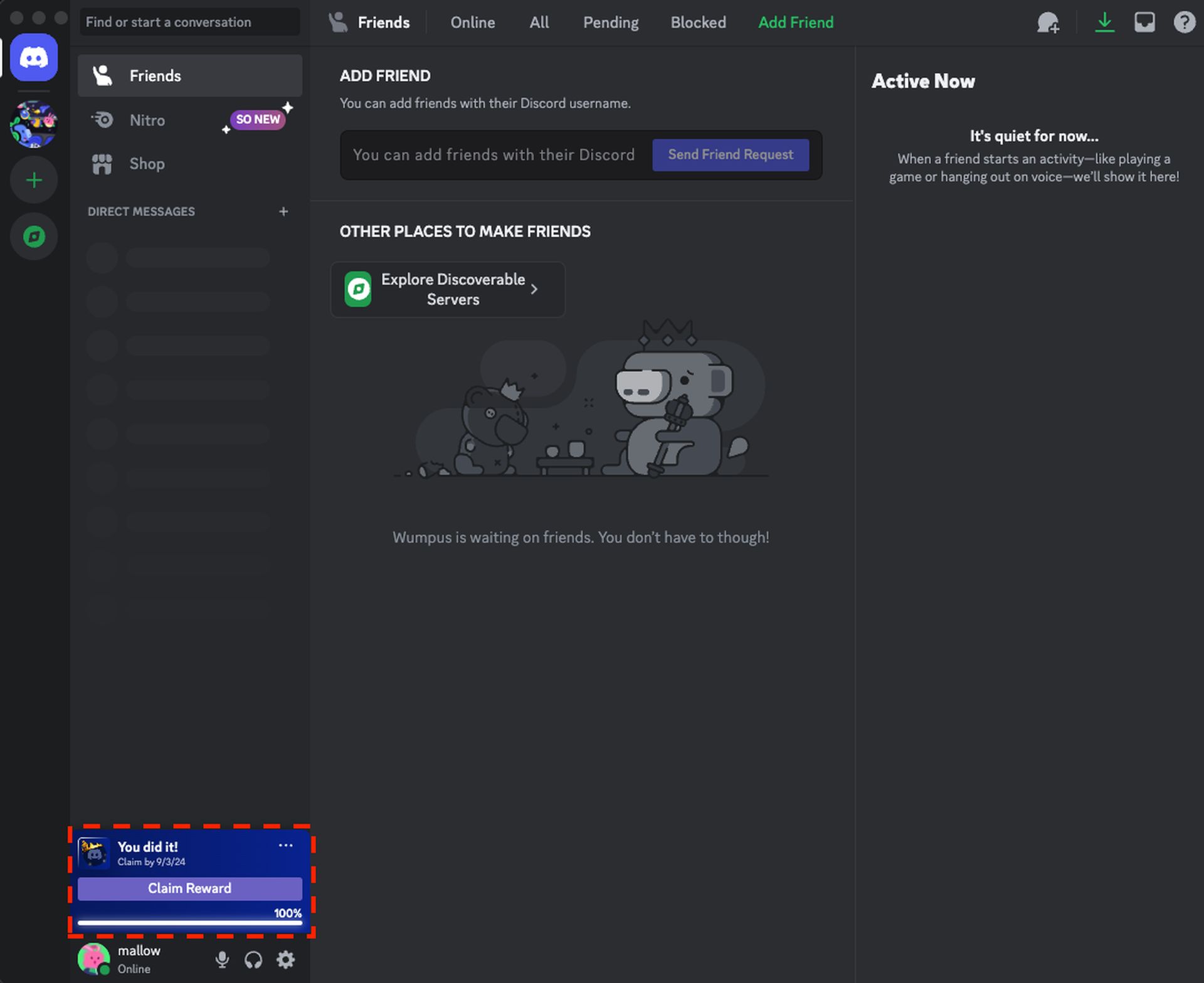
    How to complete the Fortnite Discord Quest?
    Players have until July 4th to complete the quest and until July 9th to redeem the reward (Image credit)

Remember:

  • Each Discord account can only receive one reward.
  • For more information about Discord Missions and to view active missions, visit the Discord Missions Help Center.

It’s time to personalize your avatar and stand out from the crowd with the Fortnite Victory Crown avatar skin! Join Discord now, play Fortnite for 15 minutes, and don’t miss out on this unique reward!

Featured image credit: Discord Support Page

Tags: fortnite
ShareTweet
Barış Selman

Barış Selman

A technology and gaming enthusiast by day, Barış is a passionate composer and black/death metal guitarist by night. He keeps his finger on the pulse of the intersection of art and technology whenever he can from his tours worldwide.

Related Posts

Netflix adds Red Dead Redemption to mobile

Netflix adds Red Dead Redemption to mobile

3 December 2025
Bethesda reportedly continues work on Fallout 3 Remastered

Bethesda reportedly continues work on Fallout 3 Remastered

12 November 2025
Battlefield 6 is adding a free battle royale mode

Battlefield 6 is adding a free battle royale mode

28 October 2025
Ubisoft releases Assassin’s Creed Shadows on Switch 2

Ubisoft releases Assassin’s Creed Shadows on Switch 2

24 October 2025

LATEST

How to download and migrate your content from Microsoft Stream

Easy ways to make a YouTube music video with just pictures

Easy steps to build your own music video for YouTube

How to add videos and movies to compatible iPod models easily

Narwal unveils Flow 2 with AI pet monitoring at CES 2026

Hyundai reveals Boston Dynamics and DeepMind alliance at CES 2026

Intel unveils Core Ultra Series 3 at CES 2026

Amazon takes Alexa to the web with launch of Alexa.com at CES 2026

Amazon enters lifestyle TV market with $899 Ember Artline

Google previews Gemini AI features for Google TV

TechBriefly

© 2021 TechBriefly is a Linkmedya brand.

  • Tech
  • Business
  • Science
  • Geek
  • How to
  • About
  • Privacy
  • Terms
  • Contact
  • | Network Sites |
  • Digital Report
  • LeaderGamer

Follow Us

No Result
View All Result
  • Tech
  • Business
  • Crypto
  • Science
  • Geek
  • How to
  • About
    • About TechBriefly
    • Terms and Conditions
    • Privacy Policy
    • Contact Us
    • Languages
      • 中文 (Chinese)
      • Dansk
      • Deutsch
      • Español
      • English
      • Français
      • Nederlands
      • Italiano
      • 日本语 (Japanese)
      • 한국인 (Korean)
      • Norsk
      • Polski
      • Português
      • Pусский (Russian)
      • Suomalainen
      • Svenska