

As the year draws to a close, many of us eagerly await the unveiling of our yearly app statistics through features, such as TikTok Wrapped 2023, which is now available to summarize your presence on the infamous social media platform.
In 2021, TikTok introduced its own version called “Year on TikTok”. Unfortunately, it took a hiatus in 2022, prompting resourceful users to create their own wrapped features. However, in 2023, a developer named Bennett Hollstein came to the rescue with a tool that allows users to access their TikTok Wrapped 2023 stats.
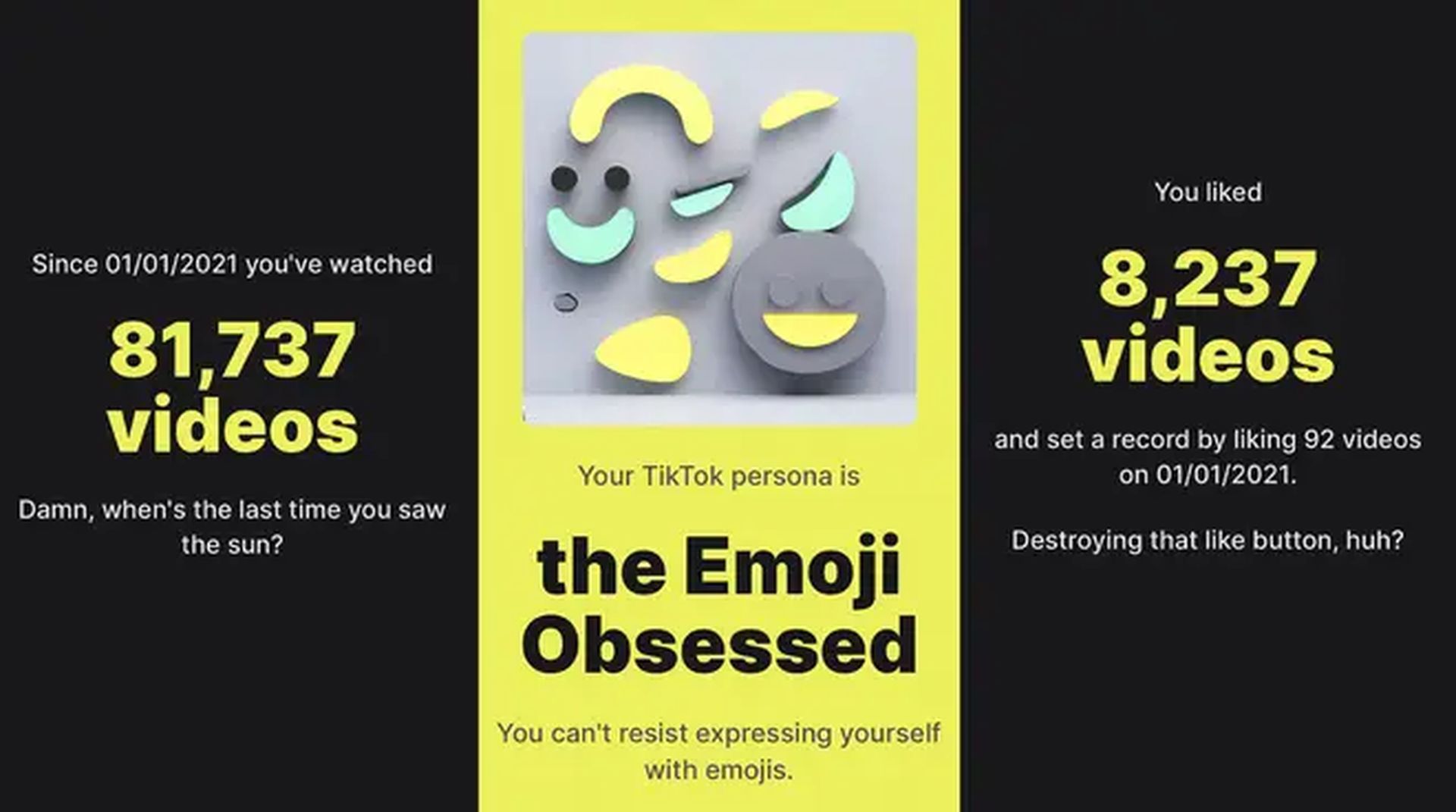
In this article, we’ll walk you through the steps to retrieve your TikTok Wrapped and explore what insights it provides.
How to get your TikTok Wrapped 2023 stats
With TikTok not offering its own Wrapped insights in 2022, users will need to turn to a third-party website. Bennett Hollstein, the mind behind Vantezzen, has developed a user-friendly and secure platform for this purpose.
To request your TikTok data export, follow these steps:
- Visit https://www.tiktok.com/setting/download-your-data or open TikTok, go to your profile, and click on the three dots in the top right corner.
- Select “Settings and privacy,” then click on “Account.”
- Navigate to “Download your data.”
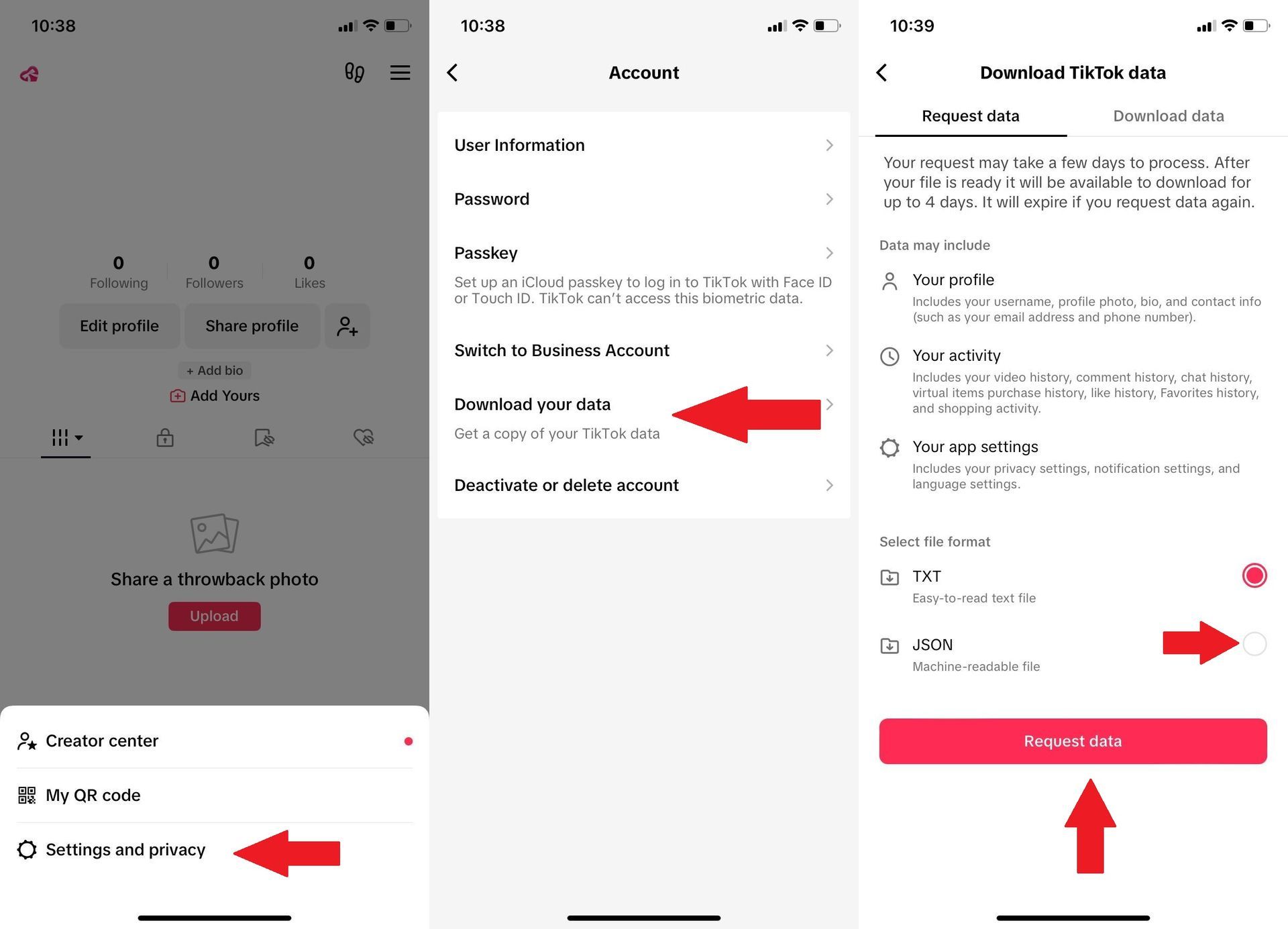
Regardless of the method you choose, make sure to opt for the “JSON – Machine-readable file” format, when you go to the website as Wrapped for TikTok relies on this format to interpret your data.
Once you’ve clicked on “Request data,” please be patient while TikTok prepares your data export. The duration may vary depending on the volume of data associated with your account.
Once your data export is ready, locate “Download data” in the top row of the same page, and proceed to download the file. This file will be required for upload to Wrapped for TikTok.
Unveiling your TikTok stats
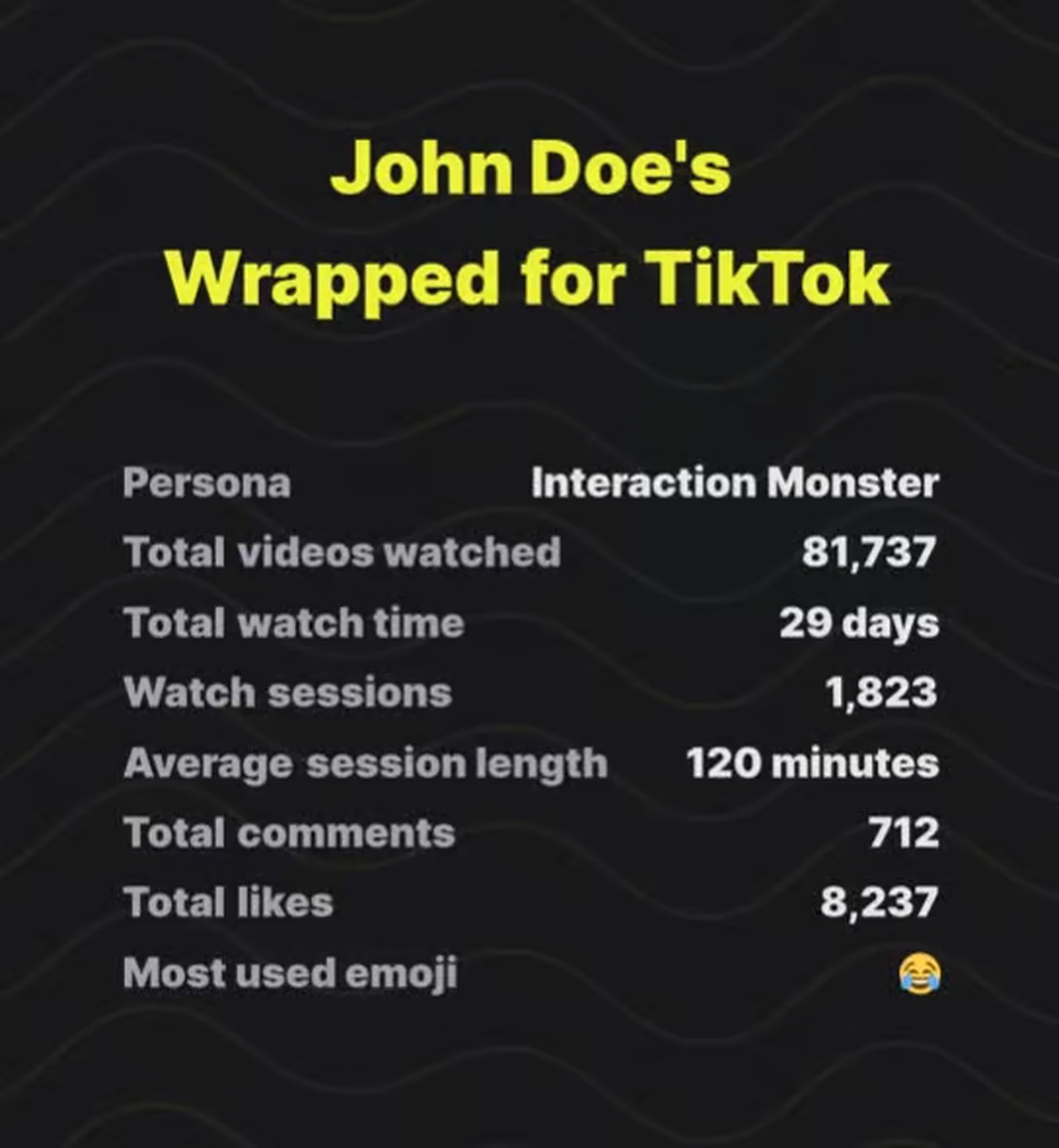
Once you’ve successfully obtained your TikTok Wrapped data, prepare to uncover a wealth of information, including:
- Total videos watched
- Number of watch sessions
- Average minutes spent on TikTok
- Longest session duration
- Peak day of TikTok usage
- Comment statistics, including most-used emojis
- Total liked and shared videos
- First liked and shared videos within the data range.
Additionally, TikTok Wrapped offers insight into your ‘TikTok persona’, shedding light on your unique user profile within the app.
Safety and privacy
Bennett Hollstein assures users that their TikTok data is only utilized within their browser and never uploaded to any external server. No data will be stored or processed on his server, providing users with peace of mind.
With the assistance of Bennett Hollstein’s Wrapped for TikTok, users can now relish in the experience of uncovering their stats for TikTok Wrapped 2023. Armed with these insights, you can reflect on your TikTok journey and discover interesting trends in your app usage.
So go ahead, dive into your TikTok Wrapped 2023, and let the revelations begin!
Meanwhile, users don’t need a Wrapped event or the year to come to an end to have a crazy trend on TikTok. If you’re curious about the latest developments on the platform, make sure to check out our articles on it, such as the ones on how TikTok went crazy with Fortnite OG as the Fortnite Chapter 1 map made a comeback and how the TikTok Tako chatbot confused users by “sliding into” their DMs.
Featured image credit: TikTok


