


In the dynamic realm of Genshin Impact, the HoYoverse community hub brings an exciting addition – the Genshin Daily Check In.
This feature, nestled within HoYoLAB, the official community hub, offers a gateway to a treasure trove of in-game riches. Beyond sharing photos, stories, and fan art, players can now revel in the delight of claiming generous rewards through this ingenious system. In this guide, we’ll walk you through the steps to maximize your gains and make the most of this golden opportunity.
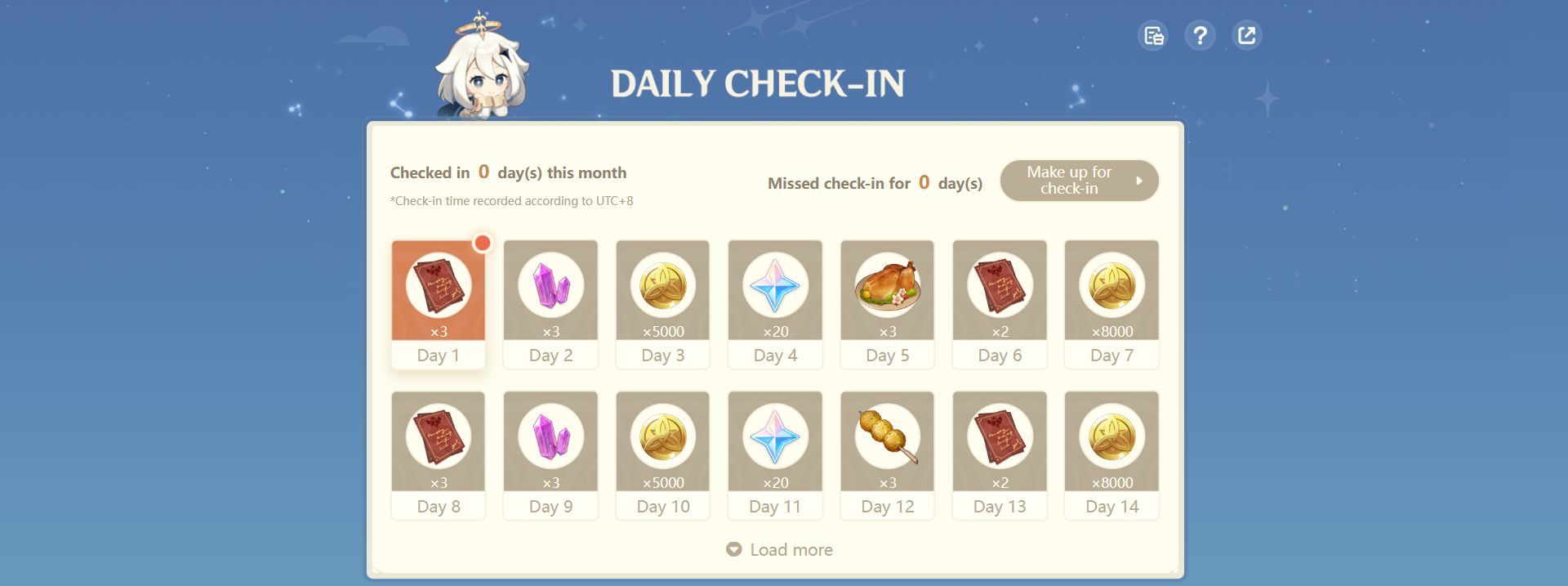
Embarking on Genshin Daily Check In
HoYoLAB stands as the official epicenter of HoYoverse’s Genshin Impact community. Here, players unite to share their epic journeys through captivating photos, engaging stories, burning questions, and even their own masterful fan art. But hidden amidst this creative haven lies the true gem – the Check-In feature of both the website and the mobile app.
Mastering the Genshin Daily Check In ritual
Embarking on this journey is as simple as it gets. Here’s your definitive guide to not only snagging those precious Primogems but also capitalizing on all that HoYoLAB offers through the Daily Check-In:
- Begin your quest by venturing into the HoYoLAB Home page.
- Seamlessly log in using your registered username or email and your trusty password.
- On the right-hand side, you’ll find the illustrious Check-In icon. Give it a click, and you’ll find yourself in the Genshin Daily Check-In page.
- Select the corresponding day, and with a single click, you’ve successfully checked in.
- Now, navigate to your in-game mailbox, where your well-earned rewards await your eager grasp.

Recovering lost days
Life often throws curveballs, and in the midst of it all, checking in might slip your mind. No need for panic – you can still make up for those missed days with these straightforward steps:
- Locate the “Make up for check-in” button, conveniently nestled in the upper right corner of the calendar.
- Choose from the available check-in missions and take a leap by hitting “Go.”
- Post-mission triumph, return to the original page and lay claim to your well-deserved make-up card.
- Close the pop-up window, then initiate a second round of “Make up for check-in.” This time, choose to remedy the missed check-in immediately.
Harvesting the rewards
With unwavering dedication to daily check-ins over the course of a month, you stand to reap a bountiful harvest of 60 Primogems, an impressive 67,000 Mora, and a trove of 16x Fine Enhancement Ore – all generously gifted to you, completely free of charge!

A friendly reminder
Keep in mind, dear adventurer, that you can only check in once each day, and any rewards delivered via in-game mail will retain their value for a generous span of 30 days.
The Genshin Daily Check In extends a golden invitation to Genshin Impact enthusiasts, offering a rare chance to stockpile invaluable resources without denting your wallet. Do not let this opportunity pass you by! Strengthen your arsenal and embark on even more grandiose adventures in the spellbinding realm of Teyvat! May your journey be filled with triumphs and boundless treasures. Happy gaming!
Meanwhile, if you’re a regular player of the game, make sure to check out our article on the Genshin Impact Kaveh bug that changes your in-game world permanently.
Featured image credit: Epic




