
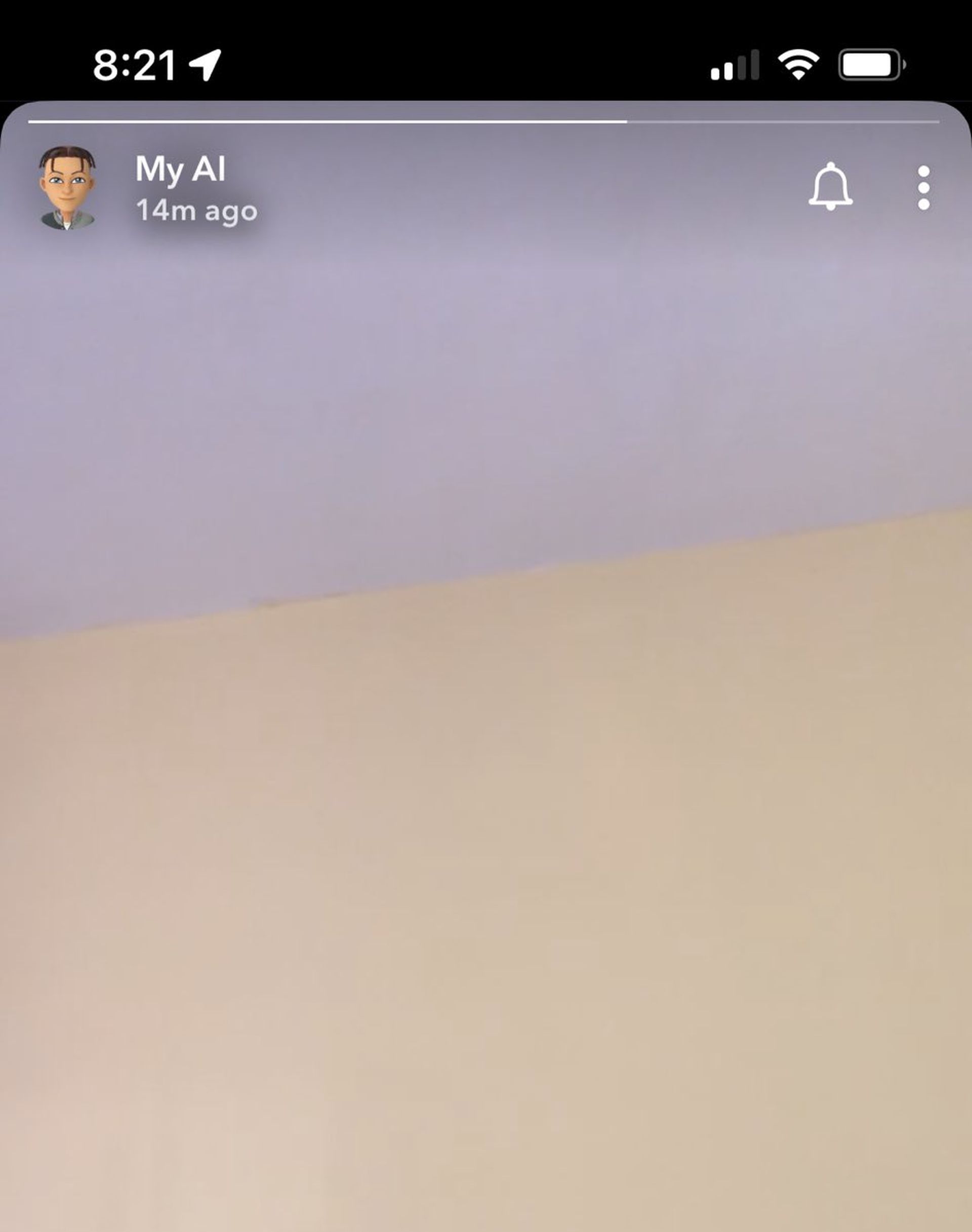
Snapchat, the popular messaging app, recently faced an unexpected glitch in which a Snap My AI story which included a blurred picture of a ceiling popped out of nowhere, sparking intrigue and concern among users.
The incident, which occurred on Tuesday night, raised questions about the role of AI in our lives and how such technological hiccups are perceived. Below, we’ll be talking about the details of the Snap My AI story glitch, its impact on users, and the broader implications for the AI landscape.
IM SORRY BUT WHY DID “myAI” just post a SNAPCHAT STORY!??? I thought this was a robot!!? pic.twitter.com/iyXn5Gfu8S
— Madison Riley (@Thisisnotmaddi) August 16, 2023
Why and how was the Snap My AI story posted?
Snapchat’s AI chatbot, known as “My AI,” experienced an unexpected disruption in its functionality, causing it to post a cryptic Story to its profile and cease its usual responsiveness in text chats. This anomaly caught the attention of numerous Snapchat users, leading to speculation about potential implications, even though experts dismissed the notion of a robot uprising.
My AI, introduced globally earlier this year, was designed to mimic human interaction by offering recommendations for various activities, suggesting augmented reality Lenses, and engaging in chat conversations with users based on their Snaps.
During the Snap My AI story glitch, My AI posted a fleeting Story on its profile that vanished after a mere second. Although the content of the Story could not be confirmed as it was promptly deleted, snippets shared by users on social media indicated a beige background with a light-colored upper quarter. This brief but puzzling appearance led to user conjecture, with some speculating that it might depict a wall and ceiling.
User unease and Snap’s response
As news of the Snap My AI story glitch spread, users expressed unease and curiosity about the abrupt change in behavior. Snap, Snapchat’s parent company, acknowledged the outage and confirmed that the technical issue had been successfully resolved. While the initial response from My AI continued to be a message indicating busyness, it eventually resumed its regular functions, putting an end to user concerns.
Snapchat’s official support page on Twitter responded to user complaints with the following statement, which initially might not have conveyed the required urgency: “Hi. We’ll need to look further into this.”
Approaching midnight, the @snapchatsupport account adjusted its response strategy by replying to user complaints with a revised message: “My AI experienced a temporary outage that’s now resolved.”
Hey! My AI experienced a temporary outage that's now resolved
— Snapchat Support (@snapchatsupport) August 16, 2023
A cautionary note featured on Snapchat’s official support page regarding the recently introduced feature this year states:
“We’re constantly working to improve and evolve My AI, but it’s possible My AI’s responses may include biased, incorrect, harmful, or misleading content. Because My AI is an evolving feature, you should always independently check answers provided by My AI before relying on any advice, and you should not share confidential or sensitive information.”
Highlighted on the page is the fact that the chatbot “is powered by OpenAI’s ChatGPT technology, with additional safety enhancements and controls unique to Snapchat.”
It’s not the robot uprising you’d expect
Despite the intrigue caused by the glitch, AI experts were quick to dismiss any notion of a robot uprising or larger-scale AI malfunction. Technical glitches are not uncommon in rapidly evolving technology, and while they can raise questions about the reliability of AI systems, they are usually isolated incidents.
The recent glitch involving Snapchat’s My AI chatbot serves as a reminder of the intricate interplay between technology and human interaction. While Snap My AI story glitch caused a temporary disruption and prompted user speculation, experts emphasize the importance of viewing such incidents as part of the learning curve in AI development. As AI continues to shape our digital landscape, it’s essential to approach these advancements with a balanced perspective that acknowledges both their potential and their limitations.
However, if you’re more on the experimental side of AI than the cautious ones, make sure to check out the Snapchat AI DAN prompt.
How to get rid of Snapchat AI?
If the Snap My AI story glitch was the final straw you had with My AI, you might want to get rid of the feature now. Check out below how to do so.
For individuals subscribed to Snapchat+, here are the instructions to eliminate the presence of My AI at the pinnacle of your chat queue:
- Launch the Snapchat application and access the ‘Chat’ segment.
- Long-press the ‘My AI’ chat entry.
- Opt for ‘Chat Settings’ from the available choices.
- Proceed to pick ‘Clear from Chat Feed.’
By adhering to these guidelines, you will seamlessly eradicate My AI from the foremost position within your chat history, granted that you hold Snapchat+ membership.
Alternatively, an alternate approach to expunge My AI from your conversation is as follows:
- Open the Snapchat app and locate your Bitmoji, positioned at the upper left corner.
- Access the ‘Settings’ menu.
- Navigate to ‘Privacy controls.’
- Opt for ‘Clear My AI Data.’
Upon accomplishing these steps, the chat containing interactions with My AI will cease to hold its prominent spot in your chat roster. Following this method empowers you to efficiently remove My AI from your Snapchat conversations. Hence, in the future, you can be somewhat protected if My AI does more than just post a story.
Featured image credit: Snapchat