
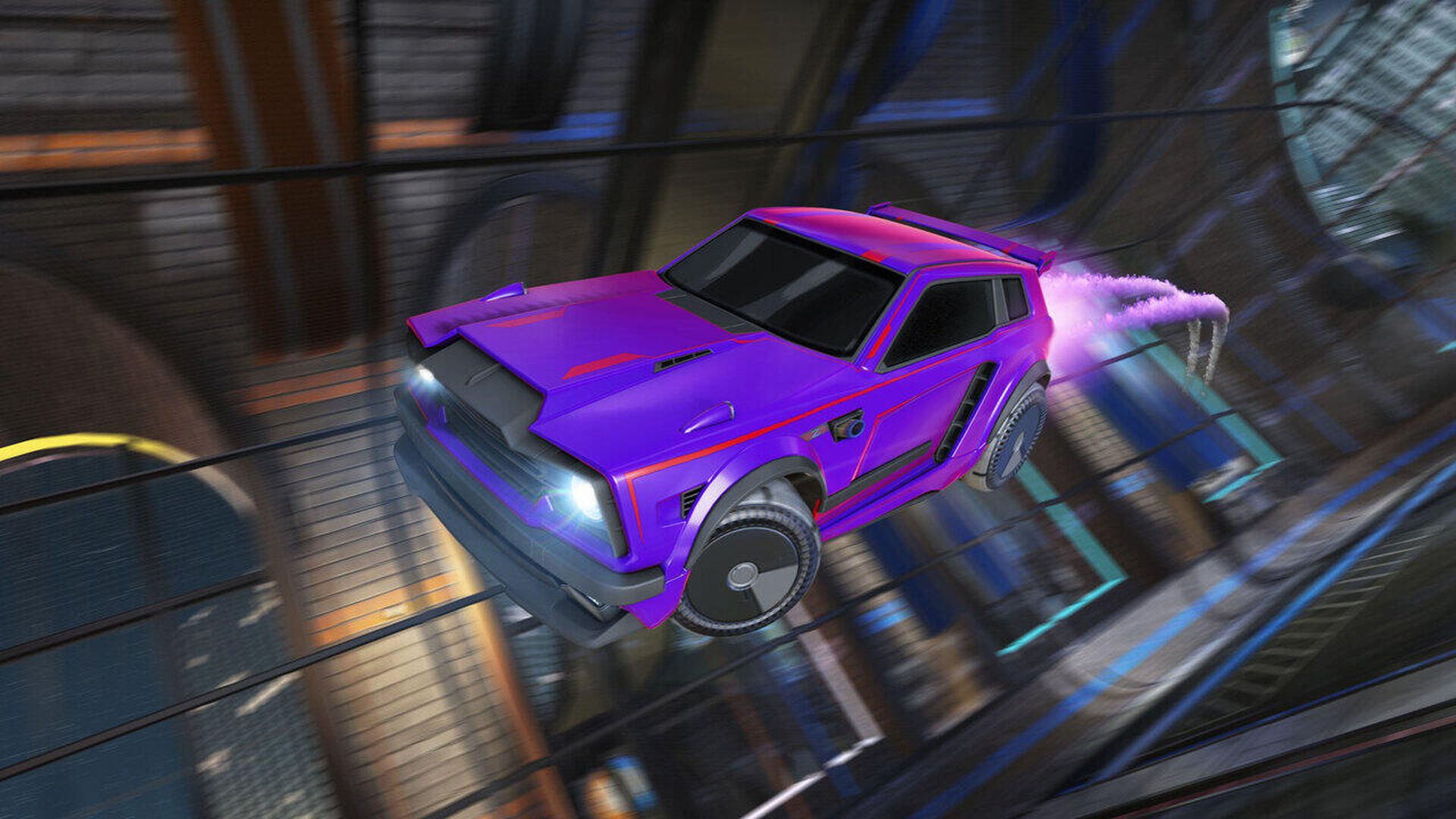

In this article, we are going to be covering how to get Fennec Rocket League, so you can use this Battle Car which has made a mark even on the pro scene.
The Fennec is not one of the regular cars you receive at the start, and you can’t always buy it at the shop, so figuring out how to obtain it might be a bit challenging. The fact that Chausette45 utilized the titanium white Fennec at DreamHack Valencia, one week after the vehicle was introduced, is the main reason why many Pro Players use it.

That’s why several pros tested it and helped to build a lasting buzz about the Fennec in the Rocket League community. Furthermore, the Fennec has a hitbox that is comparable to that of the Octane, which is what most pros are used to. In RLCS Season 9 Europe, 32.4% of Rocket League Esport Pros used the Fennec. You may be wondering how to unlock the Fennec now that you know it is a great option for the popular Octane. In the next essay, we will describe three possible ways to obtain the Fennec and see whether you can obtain it for free.

How to get Fennec Rocket League?
The first method is to utilize Blueprint to obtain the Fennec. Navigate to your blueprint in your inventory to see whether you have the Fennec Blueprint. Here’s how to use Blueprints to build the Fennec Battle Car in Rocket League:
- Go to the Garage in Rocket League.
- Select Manage Inventory.
- Go to the Blueprints section.
- Locate the Fennec Blueprint
- Build it for 500 to 600 credits by clicking on it.
This procedure, however, is not free. You must obtain some credits, which requires some work. If you don’t have enough Rocket League Credits, here’s how to earn more for free. What if you lack a Fennec Blueprint? If you play a lot, you may accumulate a large number of Blueprints from the Totally Awesome Series. Here’s how to make a free Fennec Import Body Blueprint:
- Go to the Garage in Rocket League.
- Select Manage Inventory.
- Go to the Blueprints section.
- Locate and choose the Totally Awesome Series Blueprints.

Keep in mind that Blueprints can be traded in. So, if you don’t currently have the proper blueprint, you may try your luck by exchanging 5 tradable blueprints for a new one. With luck, you’ll get the Blueprints of the Totally Awesome Series or the Fennec Blueprint. If you have a large number of Blueprints and can’t locate the one you’re looking for, click “Use Filter” and sort your Blueprints alphabetically. This will ensure that you did not neglect any. If you don’t have any of these two blueprints, you can attempt trading 5 very rare tradable blueprints for a fennec blueprint.

Buy it on 3rd party marketplaces
The Fennec and titanium white versions can then be purchased on third-party websites. This is perhaps the simplest strategy that always works. There are several websites where you may purchase Rocket League stuff. Keep in mind that the marketplaces may take up to 12 hours to deliver the item to you. You use these markets at your own risk.

Get it from the item shop
The Item Shop is the in-game store that may be accessed from the main menu. Featured items rotate on a 48-hour period, while Daily items rotate on a 24-hour timer. When the timer runs out, fresh things are added to the shop. The Item Shop has all forms of Rocket League in-game products, such as painted Vehicles like the Fennec and the titanium white Fennec. You may buy the Fennec on rare occasions, so keep checking the store every day until you find one. A basic Fennec costs 500 Credits, and a painted version costs between 700 and 800 Credits.
We hope that you enjoyed this article on how to get Fennec Rocket League. If you did, we are sure that you will also enjoy reading some of our other articles, such as Rocket League feature temporarily disabled: How to fix RL Item Trade Ins error, or how to play Rocket League Gridiron: Controls and more.


