
TechBriefly
  • Tech
  • Business
  • Crypto
  • Science
  • Geek
  • How to
  • About
    • About TechBriefly
    • Terms and Conditions
    • Privacy Policy
    • Contact Us
    • Languages
      • 中文 (Chinese)
      • Dansk
      • Deutsch
      • Español
      • English
      • Français
      • Nederlands
      • Italiano
      • 日本语 (Japanese)
      • 한국인 (Korean)
      • Norsk
      • Polski
      • Português
      • Pусский (Russian)
      • Suomalainen
      • Svenska
No Result
View All Result
TechBriefly
Home Tech Streaming
You can now test YouTube PiP mode on your iPhone

You can now test YouTube PiP mode on your iPhone

Barış SelmanbyBarış Selman
25 August 2021
in Streaming, Tech
Reading Time: 2 mins read
Share on FacebookShare on Twitter

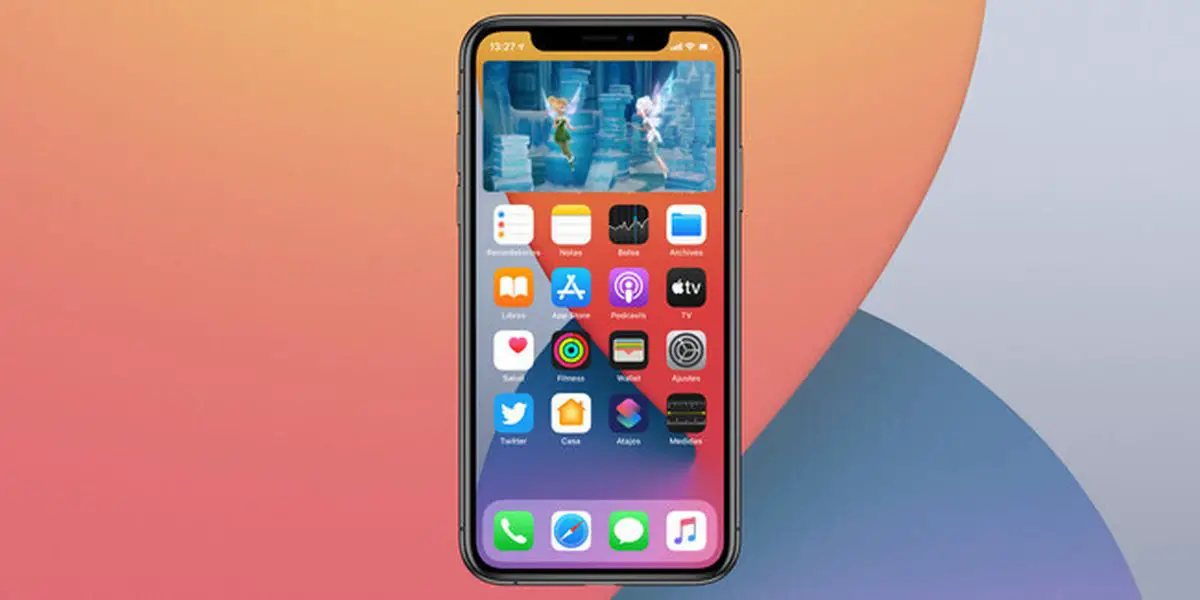
In August 2020 company began testing Youtube PiP mode on iOS, went on to enable it on a temporary basis, and, to date, it was not widely expanded to all users, as reported by 9to5mac. Although the feature is still not arriving as it should, any user can enable it on an experimental basis starting today, as long as they pay YouTube Premium. We tell you how to do it.

How to enable YouTube PiP mode on iPhone?

To enable YouTube PiP mode on iOS it is necessary to be a Premium subscriber. If you are using the free service you will not be able to enjoy this feature, which is reserved for paid accounts.

One of the advantages of being a premium subscriber is having the possibility of testing new experimental features. And among these features is also the long-awaited PiP mode.

It is necessary to activate the function from YouTube.com/new, as it is still experimental and not yet expanded.

The first thing we will have to do is to access this page and give it a try, so that the function is activated on our iPhone. Remember that you can only test one experimental function simultaneously, so if you had any other feature enabled, you will have to leave the test to experiment with YouTube Premium in PiP mode.
You can now test YouTube PiP mode on your iPhone

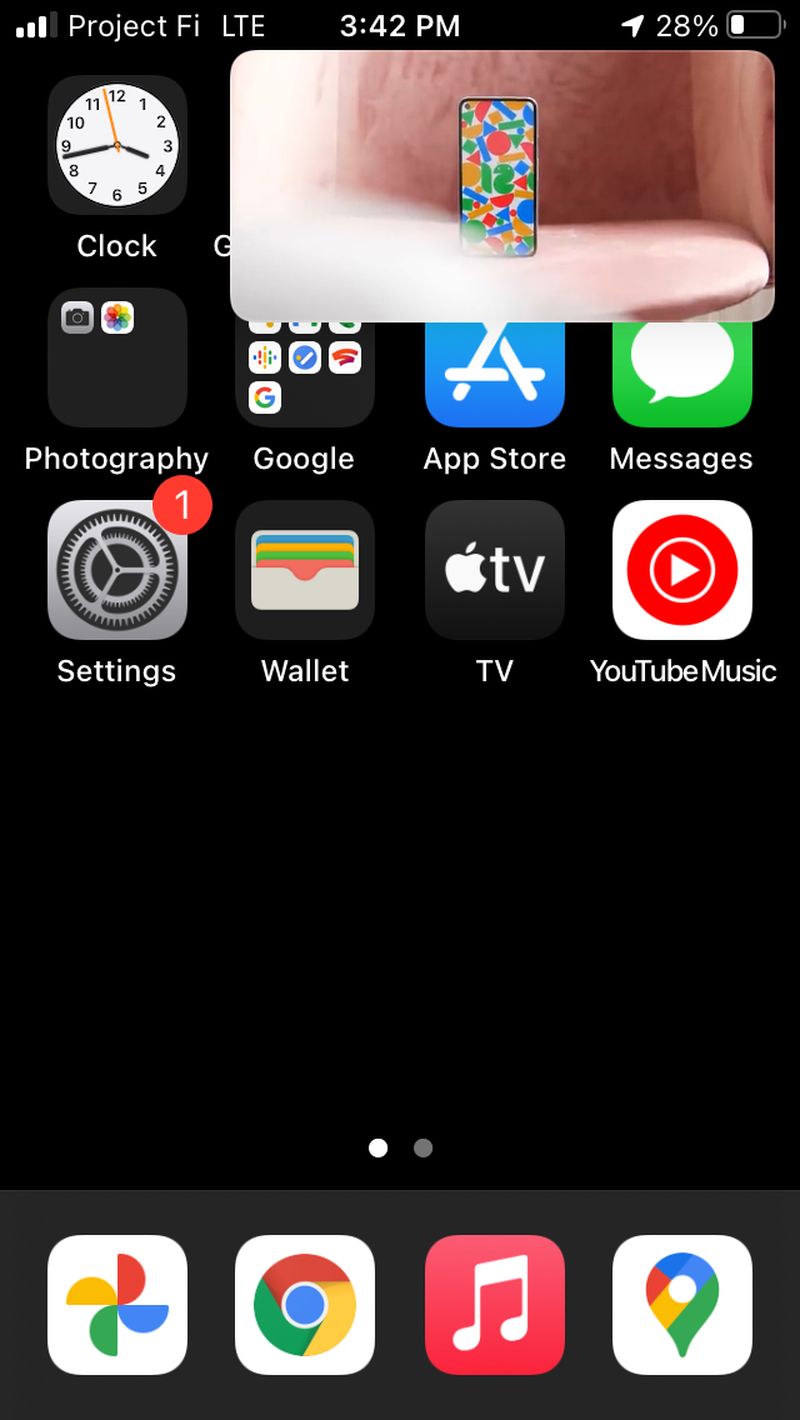
Once you activate the option, you just have to go back home while playing a video (swipe up gesture on iPhone with gestures or press the central physical button on iPhone with Touch ID). The video will continue to play in a window that you can move, with pause/play and rewind/forward controls.

The step by step bottom line is:

  • Open YouTube.com/new (YouTube Premium subscribers only).
  • Look for the option ‘Picture in Picture for iOS’.
  • Click on ‘Test’.
  • Open any video in the YouTube app for iOS
  • Go back to your iPhone desktop while the video is playing

Specifically, you will be able to test this feature until October 31. From that date, it is expected that the function will expand stably, although nothing guarantees that we will not have to wait a little longer. Be that as it may, everything suggests that this feature will be restricted to Premium users, although in the United States the PiP mode is being implemented to free account users, with ads, of course.

Tags: iPhonesoftwarestreamingYouTubeyoutube premium
ShareTweet
Barış Selman

Barış Selman

A technology and gaming enthusiast by day, Barış is a passionate composer and black/death metal guitarist by night. He keeps his finger on the pulse of the intersection of art and technology whenever he can from his tours worldwide.

Related Posts

Bluesky opens “Live Now” badges to all users to lure Twitch creators

Bluesky opens “Live Now” badges to all users to lure Twitch creators

16 January 2026
Paramount+ slams subscribers with first price hike since 2024

Paramount+ slams subscribers with first price hike since 2024

16 January 2026
Ashley St. Clair sues xAI over Grok deepfakes

Ashley St. Clair sues xAI over Grok deepfakes

16 January 2026
Samsung launches instant-play cloud streaming in Mobile Gaming Hub update

Samsung launches instant-play cloud streaming in Mobile Gaming Hub update

16 January 2026
Please login to join discussion

LATEST

OpenAI rockets $250 million into Altman’s Merge Labs brain-AI bridge

Bluesky opens “Live Now” badges to all users to lure Twitch creators

Capcom reveals Resident Evil: Requiem classic mode and ink ribbons

How to tell if your iPhone or Android phone is carrier unlocked

Paramount+ slams subscribers with first price hike since 2024

Ashley St. Clair sues xAI over Grok deepfakes

Samsung launches instant-play cloud streaming in Mobile Gaming Hub update

Netflix secures Sony Pictures first-to-stream rights

How to apply screen protectors without air bubbles

How to check if someone read your message on iPhone or iPad

TechBriefly

© 2021 TechBriefly is a Linkmedya brand.

  • Tech
  • Business
  • Science
  • Geek
  • How to
  • About
  • Privacy
  • Terms
  • Contact
  • | Network Sites |
  • Digital Report
  • LeaderGamer

Follow Us

No Result
View All Result
  • Tech
  • Business
  • Crypto
  • Science
  • Geek
  • How to
  • About
    • About TechBriefly
    • Terms and Conditions
    • Privacy Policy
    • Contact Us
    • Languages
      • 中文 (Chinese)
      • Dansk
      • Deutsch
      • Español
      • English
      • Français
      • Nederlands
      • Italiano
      • 日本语 (Japanese)
      • 한국인 (Korean)
      • Norsk
      • Polski
      • Português
      • Pусский (Russian)
      • Suomalainen
      • Svenska