


Today we are going to talk about how to use TikTok bots and which options are the best ones. TikTok is a dynamic and growing social network, especially among young people. We prepared a guide to show you the benefits of using TikTok bots.
Those who manage a social account know how stressful some tasks can be sometimes, being able to automate certain actions can be a great helping hand. For this reason, there are great TikTok bots that can save you a lot of time.
How to use TikTok bots and what are they for?
Bot is the short name used for robots, they are also called automatons. Automatons usually continue the task assigned to them on their own. In TikTok, a bot can do several actions for you. It can:
- Follow new users
- Unfollow some users
- Comment on other users’ posts for you
- Like other TikTokers’ posts
- View the content of others
They seem trivial operations, but they are not. If you interact with multiple users, they will be intrigued and will visit your profile and view your content, and then decide to follow you.
So a bot in TikTok is primarily used to generate traffic and to automatically attract attention. This, in a nutshell, will allow you to:
- Increase views
- Increase real followers
- Have more interactions
What are the risks of using a TikTok bot?
At the moment TikTok has not taken any action against those who use bots. The use of these tools, unlike more established social media outlets like Instagram, has not yet been banned. So anyone is free to use them without the risk of getting banned on TikTok.
But there is still a risk, a bot automates your social sharing. Therefore, if you don’t apply some tricks, it could eventually cause your users to lose interest. It may result in losing a lot of followers.
We strongly recommend using the bot wisely by following these recommendations:
- Often create new quality content.
- Make sure that the bot’s activity is always less than yours.
- Limit bot activity to certain hours.
- Always be careful to engage your audience.
Attention! Avoid apps that promise followers on TikTok for free, on the Play Store there are many. Also, we recommend that you avoid using unreferenced bots if you do not want to risk the security of your TikTok account.
What TikTok bots are the best?
Ninchi
This has long been one of the most famous Instagram bots, now it also supports TikTok. It’s a really complete solution, although it will take a bit of practice to use the app well. The interface is clear and readable, although as we said it is not very simple.
However, Ninchi is very powerful and allows you to; follow other profiles automatically, like posts, and also insert comments. The filter support is also very interesting, which allows optimizing the actions of the bot towards the audience in which we have more chances to impress. This bot is paid and offers 3 days free trial, if you are interested you can learn more from their official website.
Vicky
This is the simplest bot for Instagram and TikTok. After the first start, you just need to enter 5 profiles to use as a reference, the bot will analyze their characteristics and start following these profiles to attract your traffic.
Unfortunately, in the name of simplicity, it completely sacrifices customization and does not support automatic messages. If you want to try Vicky you can go to its official website, the service offers 5 days free trial.
Instazood
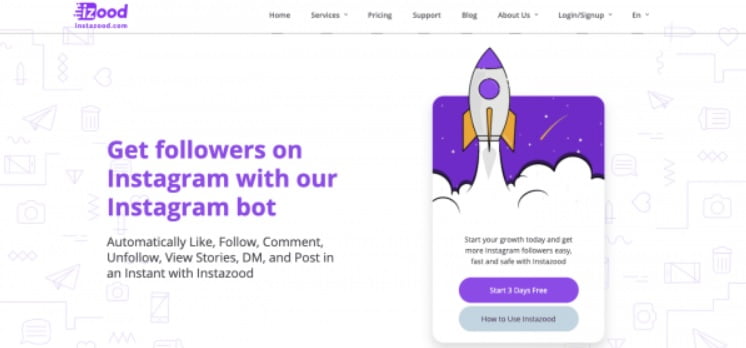
It was one of the most important bots for Instagram and now it also supports TikTok. The interface of this bot and its capabilities are similar to Nichi. It can effectively automate following, unfollowing, likes, and comments.
The capabilities of the bot are great in order to choose precisely. It is likely that the service will add more features in the future. If you want to try Instazood, you can learn more from their website, the service is offered 3 days for free.
Jarvee
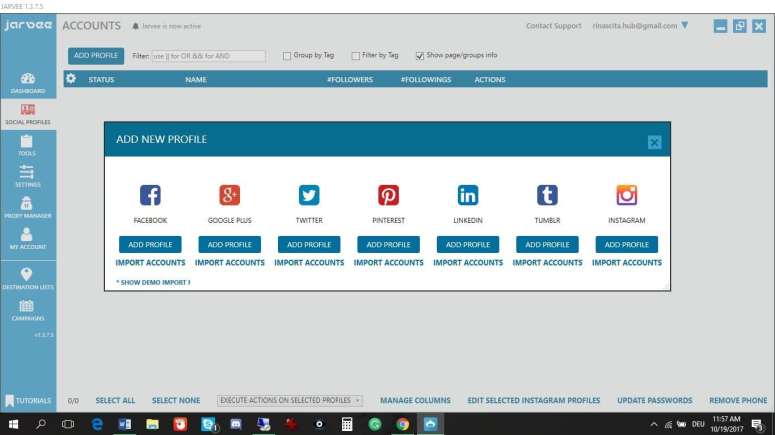
If you need to manage social accounts for business, then Jarvee is the solution for you. This bot supports several social networks (Facebook, Instagram, Twitter, TikTok, YouTube and also LinkedIn) and it is perfect to be used by a social manager. Of course, being a professional tool for social managers, it is one of the most complex solutions presented so far.
Unlike the other bots presented, Jarvee is not a web service, but a program to be installed on a computer. You can also install it on your own server, but obviously, this is an even more complex procedure that is suitable for more experienced people. Jarvee also offers a free trial period, you can get more information by visiting their official website.


